


What is Website Design?
Website design is the process of creating a visually engaging, fast, and user-friendly digital experience that effectively represents your brand while meeting the needs of both users and search engines. Modern website design goes beyond aesthetics by combining intuitive user experience (UX), responsive layouts, accessibility, performance optimization, and clear information architecture to ensure seamless interaction across all devices. A well-designed website not only communicates your value proposition but also builds trust, improves engagement, and delivers a smooth, functional experience that encourages visitors to explore, interact, and convert.
Top Website Design Trends
Website design is rapidly evolving, with modern websites focusing on more than just visual appeal. Today’s design trends emphasize usability, accessibility, performance, responsiveness, and engaging user experiences, while incorporating AI-powered features, immersive visuals, and sustainable design practices to create fast, interactive, and user-friendly websites.
01. Bento Grid Layouts
Inspired by traditional Japanese bento boxes and modern dashboard interfaces, Bento Grid layouts have become one of the most popular approaches to organizing web content. Rather than displaying information in uniform columns, this design style arranges content into rectangular cards of varying sizes with generous spacing and rounded corners.
Each “box” contains a specific piece of content, such as a product feature, service offering, testimonial, statistic, image, or call-to-action, creating a highly organized yet visually engaging layout. The varying dimensions naturally establish a hierarchy, helping users identify the most important information at a glance.
Bento layouts also adapt exceptionally well to responsive design, allowing designers to rearrange cards across different screen sizes while maintaining a clean and balanced appearance.
Why it’s popular:
- Improves content organization and readability.
- Creates strong visual hierarchy.
- Highly responsive across devices.
- Ideal for SaaS products, portfolios, dashboards, and landing pages.
- Encourages users to explore multiple sections without feeling overwhelmed.
02. AI-Generated Fluid Layouts
Artificial Intelligence is transforming how websites are structured by enabling layouts that respond intelligently to user behavior rather than remaining completely static. AI-generated fluid layouts use adaptive CSS Grid, Flexbox, and machine learning techniques to subtly adjust spacing, component sizes, and content positioning based on factors such as screen size, scrolling patterns, cursor movement, or user preferences.
Instead of every visitor seeing an identical layout, websites can personalize content placement to improve usability and engagement. Hero sections may dynamically resize, featured products can be reordered based on user interests, and navigation elements can adapt to browsing behavior.
These intelligent layouts create interfaces that feel more natural and responsive while maintaining a consistent visual identity.
Key benefits:
- Personalized user experiences.
- Better content prioritization.
- Increased engagement and interaction.
- Improved adaptability across different devices.
- Greater flexibility for modern responsive design.
03. Refined Neo-Brutalism and Glassmorphism
Two contrasting visual styles, Neo-Brutalism and Glassmorphism, are increasingly being combined to create bold, modern interfaces.
Neo-Brutalism
Neo-Brutalism emphasizes oversized typography, bold outlines, solid colors, visible borders, minimal shadows, and intentionally simple layouts. The style prioritizes clarity and confidence over decorative elements, giving websites a distinctive personality.
Glassmorphism
Glassmorphism introduces translucent panels, frosted glass effects, soft gradients, blurred backgrounds, and layered depth. These elements create elegant interfaces that feel modern and immersive while maintaining readability.
When combined, designers achieve a balanced aesthetic where bold typography and strong structural elements contrast beautifully with soft transparent layers. This fusion works particularly well for technology companies, creative agencies, fintech applications, and premium product websites.
Advantages:
- Creates visual depth without overwhelming users.
- Enhances interface clarity.
- Gives websites a premium and futuristic appearance.
- Works well in dark mode and modern UI systems.
04. Immersive 3D Visuals and WebGL Experiences
Advancements in browser technologies have made real-time 3D experiences significantly more accessible. Modern websites increasingly incorporate lightweight 3D models rendered directly within the browser using WebGL and related technologies.
Visitors can rotate products, inspect objects from every angle, explore virtual environments, interact with animated illustrations, or navigate dynamic maps without installing additional software.
These immersive experiences are especially valuable for industries such as e-commerce, architecture, automotive, gaming, education, healthcare, and real estate, where visual exploration enhances user understanding and confidence.
Modern optimization techniques ensure these experiences remain smooth without sacrificing page performance.
Common applications include:
- Interactive product showcases.
- Virtual showrooms.
- Architectural walkthroughs.
- 3D infographics.
- Educational simulations.
- Interactive maps and geographic visualization.
Explore the Web development process behind the Bluewhale.
05. Scroll-Driven Storytelling (Scrollytelling)
Scrollytelling transforms traditional web pages into engaging narratives that unfold as users scroll through content. Instead of simply moving vertically through text, visitors trigger animations, transitions, illustrations, videos, and interactive elements that reveal information progressively.
As users scroll:
- Text smoothly fades into view.
- Images animate across the screen.
- Background colors gradually transition.
- Charts and statistics become interactive.
- Videos automatically play at key moments.
- 3D models rotate or assemble.
- Timelines expand dynamically.
This storytelling approach keeps visitors engaged for longer periods and improves information retention by presenting complex ideas in an interactive, digestible format.
Scrollytelling is particularly effective for brand stories, annual reports, product launches, marketing campaigns, educational websites, and journalism.
Benefits include:
- Higher user engagement.
- Improved storytelling.
- Increased average session duration.
- Better emotional connection with visitors.
- Enhanced presentation of complex information.
06. Sustainable and Low-Carbon Web Design
Sustainability has become an increasingly important consideration in web development. Every webpage consumes energy through data transfer, server processing, and user devices, contributing to digital carbon emissions.
Modern web designers are adopting environmentally conscious practices that reduce a website’s environmental impact while simultaneously improving performance.
Strategies include:
- Using green hosting providers powered by renewable energy.
- Compressing images without sacrificing quality.
- Serving next-generation image formats like WebP and AVIF.
- Minimizing JavaScript execution.
- Eliminating unnecessary animations.
- Using system fonts instead of large custom font libraries.
- Reducing third-party scripts and tracking tools.
- Implementing efficient caching strategies.
- Optimizing CSS and HTML delivery.
These improvements not only lower energy consumption but also lead to faster loading times, better SEO performance, and improved user satisfaction.
Why it matters:
- Faster websites.
- Better Core Web Vitals.
- Improved accessibility.
- Lower hosting costs.
- Reduced environmental impact.
07. Advanced Motion UI
Motion design has evolved from decorative animation into a functional communication tool. Modern Motion UI uses carefully planned animations to guide users, reinforce interactions, and create intuitive navigation without becoming distracting.
Purposeful motion helps users understand interface relationships, confirms completed actions, and draws attention to important content.
Examples include:
- Smooth page transitions.
- Animated navigation menus.
- Hover effects.
- Micro-interactions on buttons.
- Loading animations.
- Progress indicators.
- Form validation feedback.
- Staggered content reveals.
- Floating interface elements.
- Scroll-triggered animations.
When implemented thoughtfully, motion enhances usability while making websites feel polished and responsive.
Best practices:
- Keep animations subtle and purposeful.
- Maintain consistent timing and easing.
- Avoid excessive motion that may distract users.
- Respect accessibility settings such as reduced-motion preferences.
- Optimize animations for smooth performance across devices.
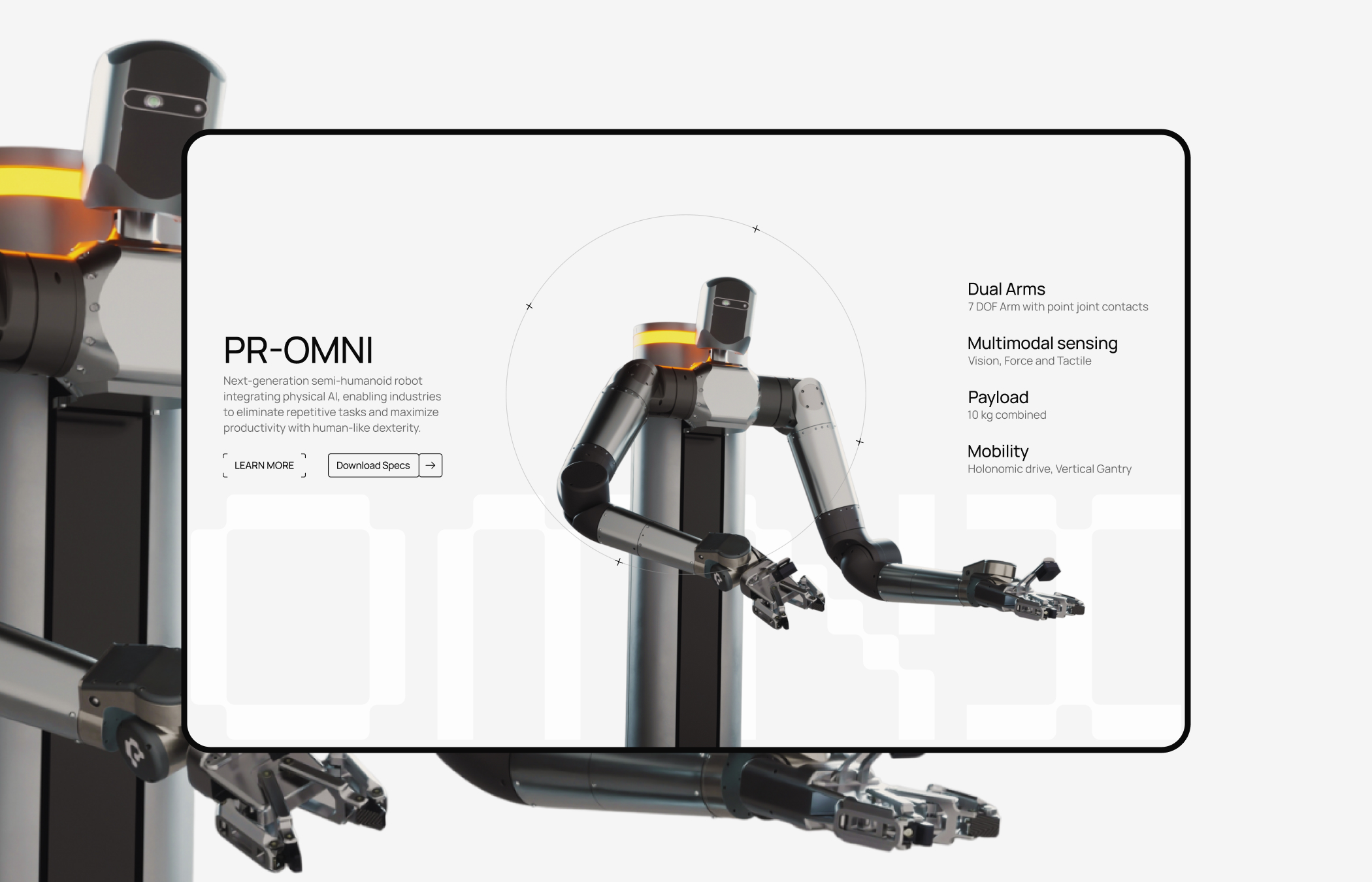
Explore the Web development process behind the perceptyne.
The Advanced Web Design & AI Engineering Ecosystem
The modern web development stack combines visual design tools, AI-powered platforms, and flexible development frameworks to streamline the entire website creation process. Hybrid workflows now enable faster collaboration, efficient development, and seamless deployment of modern digital products.
01. The Core Builders (Where you build the site)
Webflow
Webflow functions as a visual translation engine for the semantic web, allowing designers to interact directly with the W3C box model, Flexbox properties, and CSS Grid layouts.
-
Engineering Depth: It converts visual structural adjustments directly into human-readable HTML5 and CSS3. Rather than outputting absolute positioning, Webflow forces teams to build layout systems using clean, cascading design structures.
-
Operational Workflows: Webflow features a built-in Design Token architecture and comprehensive component property controls. This allows growth teams to alter site-wide padding variables, radius fields, or color systems globally from a centralized style guide dashboard.
-
The AI Layer: The platform features an integrated AI Stylist & Section Generator. This engine takes natural language descriptions and constructs full page layouts that naturally inherit the typography styles, structural classes, and variables already established in your global style manual.
Wix Studio
Wix Studio is an advanced development workspace built specifically for creative studios, enterprise marketing teams, and client agencies.
-
Engineering Depth: The system provides an advanced responsive layout model that allows for precise CSS customization, custom JavaScript integrations via Wix Velo, and absolute positioning controls when needed.
-
Operational Workflows: Built for agency scale, it includes comprehensive multi-tenant workspace dashboards, shared team design libraries, and customizable client permission workflows.
-
The AI Layer: Features Responsive AI breakpoint calculation. Instead of manually configuring margins, element behaviors, and text scaling across every individual viewport breakdown, the AI engine reviews the core desktop layout and automatically maps optimal fluid structures for tablet and mobile viewports.
WeWeb
WeWeb is a visual front-end developer platform engineered to decouple the design canvas from your database architecture.
-
Engineering Depth: Unlike traditional website builders that lock you into a monolithic database, WeWeb focuses strictly on frontend code assembly. It outputs standard Vue.js or React single-page architectures.
-
Operational Workflows: It is designed to plug directly into external REST or GraphQL APIs, headless content platforms, or serverless databases (like Supabase or Xano). This architecture allows teams to visually design complicated frontend views while retaining complete data ownership.
-
The AI Layer: Includes visual data binding automation. The AI reviews incoming API payloads and automatically suggests UI mapping variables, generating the necessary data arrays without requiring manual layout connections.
Bubble
Bubble is a full-stack visual application builder engineered to construct complex web applications without text-based programming.
-
Engineering Depth: It combines a visual interface builder with a proprietary serverless database architecture, complex logic engines, and backend API routing workflows.
-
Operational Workflows: It excels at building heavy workflow paths, complex user authentication loops, conditional privacy rules, and native transactional systems.
-
The AI Layer: The built-in AI assistant helps developers map relational databases and construct conditional backend logic pipelines from clear textual requirements.
02. The WordPress Agentic AI Ecosystem
WordPress continues to power a massive portion of the open web. Its modern evolution bypasses rigid, single-purpose plugins in favor of agentic AI models that modify code directly inside the application layer.
Angie by Elementor
Angie represents a shift from basic text generators to an Agentic Developer Engine fully integrated into the Elementor environment.
-
Operational Mechanics: Angie works with complete context awareness of your specific active theme, active style systems, and underlying PHP file setup.
-
Technical Execution: Instead of just outputting disconnected code blocks, the AI writes targeted CSS modifications, generates custom shortcode actions, and registers new WordPress Custom Post Types (CPTs) directly inside the database without requiring heavy third-party code libraries. This keeps the page file size lean, helping the site pass Core Web Vitals checks.
10Web
10Web uses generative models focused entirely on automated site migration, onboarding, and platform architecture operations.
-
Operational Mechanics: By reviewing any active external destination URL, 10Web’s layout reconstruction models parse the visible document structure, extract font variables, and recreate the layout as a fully operational, high-performance WordPress site built on clean Gutenberg blocks or Elementor containers.
-
Technical Execution: It optimizes the generated page speed automatically by implementing container container optimization, asset minification, and programmatic asset lazy-loading protocols on the fly.

Explore the Design process behind the Quint.
03. High-Velocity Prototyping & Generative UI
For fast-moving startups and growth teams, generative UI tools remove the friction between raw copy drafts and production-ready code blocks.
Framer AI
Framer functions like a modern vector design platform (such as Figma) but ships clean, production-ready React code straight to fast cloud servers.
-
Prototyping Speed: Framer AI can build a highly polished, responsive landing page outline featuring rich color palettes and scroll-driven animations from a single detailed text prompt in under 30 seconds.
-
Design Precision: It offers advanced visual layout layout capabilities, allowing users to configure detailed relative positioning parameters, spring-physics motion paths, and native CMS configurations easily.
Vercel v0
Vercel v0 is a generative UI sandbox built specifically for frontend engineering teams deploying within modern JavaScript frameworks (like Next.js or React).
-
Operational Workflow: Users describe a digital component structure using natural language or by uploading a rough UI screenshot.
-
Code Output: v0 immediately generates production-quality code built using Tailwind CSS layout parameters and shadcn/ui accessible primitives. This code can be copied directly into an enterprise app repository or deployed instantly to Vercel servers with a single click.
04. The Engineering Layer: AI IDEs & Collaborative Tools
For custom frontend platforms, high-performance headless builds, and custom web applications, the actual coding workspace has been completely re-engineered around AI context.
Windsurf (with Cascade)
Windsurf is a leading AI-native Integrated Development Environment (IDE) that introduces a highly collaborative agentic assistant named Cascade.
-
Codebase Awareness: Unlike basic autocomplete tools that look at one line of code at a time, Cascade understands your entire code repository. It analyzes data structures, component hierarchies, and routing tables across every directory in your project.
-
Autonomous Tasks: It can execute complex multi-file engineering tasks independently. If instructed to “Add a secure multi-tenant payment tier into the application structure,” Windsurf will simultaneously modify backend API schemas, update your routing components, build frontend views, and handle bugs in sandboxed terminals before committing the final code.
Cursor
Cursor is an AI-powered code editor built on top of VS Code that has become a staple tool for modern engineering teams.
-
Codebase Awareness: It reads your local repository, index files, and technical documentation libraries to provide contextually accurate inline code additions and refactoring suggestions.
-
Autonomous Tasks: Utilizing its integrated Composer workspace, developers can direct the editor using plain English to rewrite entire functional modules, write automated testing scripts, or fix broken terminal outputs seamlessly.
Figma AI
Figma AI focuses on bridging the traditional gap between visual design mockups and actual front-end engineering handoffs.
-
Feature Suite: It automates repetitive layout work by instantly generating responsive component variants, auto-naming nested visual layers accurately, and automatically mapping static color selections to your central design tokens.
-
Developer Handoff: Inside Figma’s Dev Mode, the AI outputs structured CSS parameters, layout rules, and component framework outlines to guide front-end engineers during product assembly.
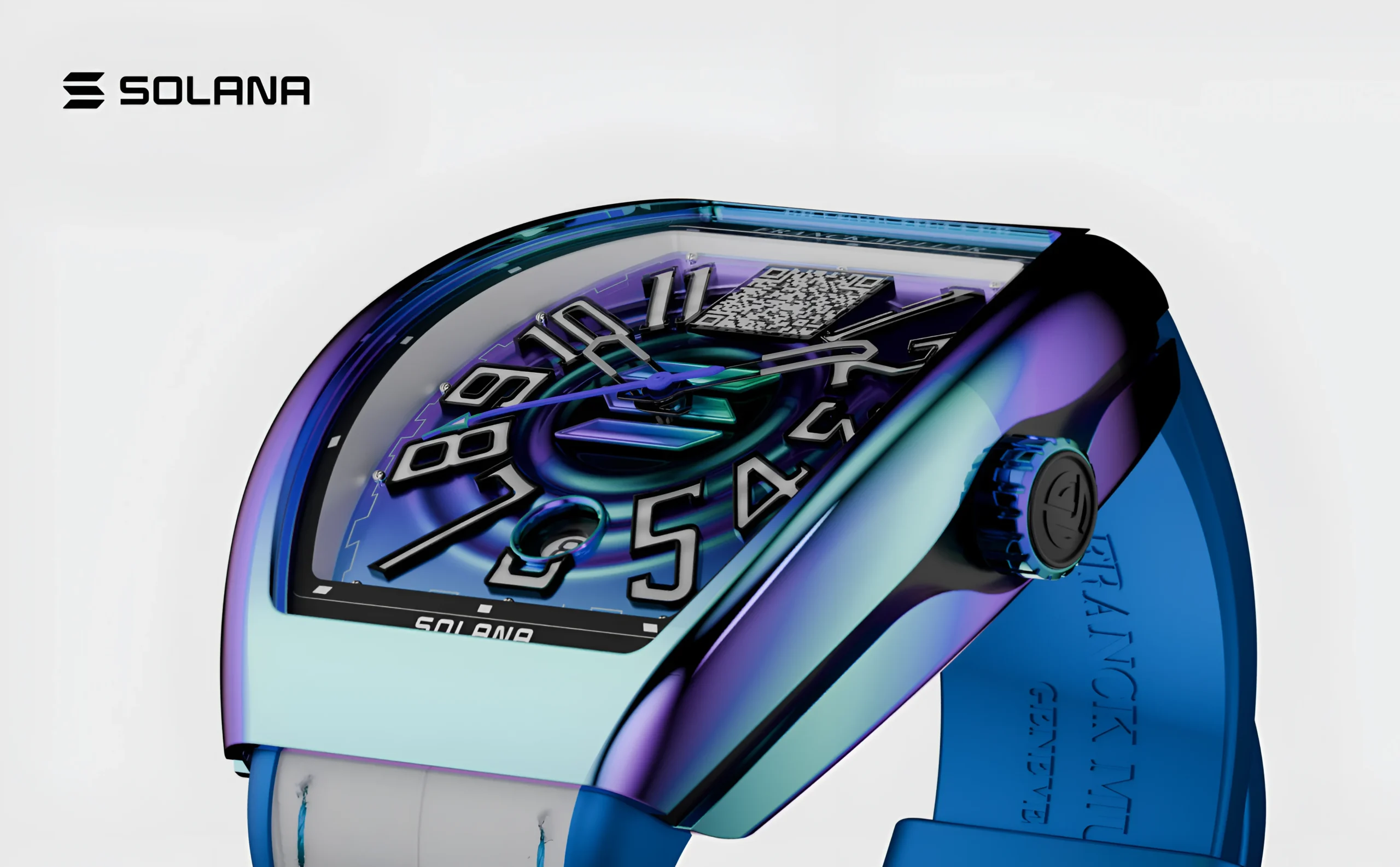
Explore the Web development process behind the franck muller.
Why Website Design Matters More Than Ever
The digital space is crowded, and consumer skepticism is at an all-time high. A poorly designed website actively drives away revenue. Substandard web design directly impacts a company’s bottom line across several critical layers:
-
The Velocity of First Impressions: Data shows that users form an opinion about a website in less than 50 milliseconds. In that blink of an eye, your layout, typography, and visual hierarchy decide whether a user stays or bounces.
-
Trust and Institutional Credibility: A consumer defaults to distrust if a website looks dated, cluttered, or broken. Professional, polished design serves as immediate visual proof that your business is secure, legitimate, and attentive to detail.
-
UX as a Revenue Driver: Seamless user experience (UX) reduces cognitive friction. When information is easy to find and the user journey is intuitive, conversion rates naturally climb.
-
The Technical Core of SEO: Search engines do not just read text; they evaluate user behavior and site performance. Elements like layout stability, mobile responsiveness, and clean code directly influence your search engine results page (SERP) visibility.
-
Direct Pipeline to Conversions: Design dictates the user’s eye movement. Strategic contrast, white space, and clear calls-to-action (CTAs) guide users effortlessly down the sales funnel, turning passive traffic into active qualified leads.
-
Mobile-First Dominance: With mobile traffic consistently dominating global web usage, desktop-first design is obsolete. Websites must be engineered from the ground up to respond flawlessly to variable mobile viewports and touch interactions.
What Makes a Modern Website?
A modern website is a finely tuned ecosystem where aesthetics, engineering, and data science intersect. The foundational standards of a top-tier digital presence rest on a few non-negotiable pillars:
Mobile-First Responsive Design
Layouts can no longer simply shrink to fit a phone screen. True mobile-first design optimizes for thumb reach, eliminates accidental taps, uses fluid typography, and streamlines navigation menus to ensure complex data layouts remain legible on small screens.
Core Web Vitals and Loading Speed
Speed is a baseline requirement for keeping visitors on your page. Modern websites aim for a Largest Contentful Paint (LCP) of under 1.5 seconds and a First Input Delay (FID) that is practically instantaneous. Every millisecond of delay beyond this mark correlates directly with a drop in conversion rates.
Absolute Accessibility (WCAG 2.2)
Digital accessibility is both an ethical imperative and a legal standard. High-performing sites implement strict semantic HTML, full keyboard navigability, robust ARIA attributes, and strict contrast ratios to ensure the web remains inclusive for users with visual, auditory, or motor impairments.
AI-Powered Dynamic Personalization
Static text is giving way to contextual interfaces. Modern websites read anonymous user signals, such as referral source, geographic location, and real-time browsing history, to dynamically alter headlines, hero graphics, and product recommendations to fit the visitor’s specific intent.
Minimal UI and Dark Mode Infrastructure
Visual clutter causes cognitive overload. Clean interfaces leverage generous white space, strong typographic hierarchy, and native dark mode toggles that respect user system preferences while reducing eye strain and device power consumption.
Micro-Interactions and Secure Protocols
Subtle visual feedback, like a button that shifts weight when hovered or a smooth loading transition, makes a site feel alive and responsive. Protecting these interactions is a modern security stack: standard SSL certificates, end-to-end data encryption, and transparent, privacy-first cookie management compliance.

Explore the UX design process behind the Kind Energy.
How AI Is Transforming Website Design
Artificial intelligence has evolved from a novel experimentation tool into a foundational layer of the web development workflow. It is not replacing human strategy; it is supercharging execution velocity.
| AI Application | Core Utility & Impact | Real-World Use Case |
| Generative Prototyping | Converts simple text prompts into fully editable wireframes, UI layouts, and complete website structures within minutes, significantly reducing initial design time. | A design team uses Relume AI to generate a 12-page website sitemap and component-based wireframes in under five minutes, accelerating project kickoff. |
| Contextual Content Production | Generates brand-consistent headlines, product descriptions, CTAs, and localized content directly within the design workflow to make copy creation faster and more scalable. | Designers leverage AI writing assistants to create multiple landing page variations for A/B testing while maintaining a consistent brand voice. |
| AI-Powered Asset Generation | Produces custom illustrations, icons, graphics, and high-quality hero images on demand, eliminating reliance on generic stock photography and reducing creative costs. | Creative teams use Midjourney or Adobe Firefly to generate unique website visuals that align perfectly with a brand’s identity and campaign objectives. |
| Intelligent Coding Assistants | Assists developers by generating clean HTML, CSS, JavaScript, and framework-specific code, while also identifying bugs and automating repetitive tasks. | Developers use GitHub Copilot to create responsive components, automate custom scripts, and streamline API integrations in platforms like Webflow and Framer. |
| AI Support & Conversion Bots | Replaces traditional rule-based chatbots with conversational AI capable of understanding context, answering complex questions, and guiding users through the sales journey. | An AI website assistant answers technical product questions, recommends solutions, captures qualified leads, and schedules sales consultations automatically. |
| Predictive Testing & Optimization | Uses machine learning to simulate user behavior, generate heatmaps, evaluate layouts, and identify usability improvements before a website goes live. | UX teams perform AI-driven visual attention analysis and automated usability testing before launch to optimize navigation and conversion rates. |
Top AI Tools for Web Designers
To maintain an efficient workflow, your design stack should combine specialized tools that handle everything from initial brainstorming to final development code checkouts.
-
Figma AI: The industry-standard design UI platform now features native AI capabilities. It allows teams to generate UI components via text prompts, automate auto-layout configurations, rename layers instantly, and translate designs into production-ready styling tokens.
-
Relume AI: A game-changer for information architecture. Input a project description, and it builds out a complete, logical sitemap and high-fidelity wireframes composed of clean components that copy-paste directly into Figma or Webflow.
-
Midjourney & Adobe Firefly: These image generators provide distinct visual styles. Midjourney delivers stunning, hyper-realistic, or conceptual creative imagery for inspiration, while Adobe Firefly provides commercially safe graphic generation fully integrated into Creative Cloud workflows.
-
Framer AI: Perfect for turning ideas into live pages fast. It takes a raw descriptive prompt and outputs a responsive web design page with custom layouts, styled typography, and fully written copy ready for immediate live customization.
-
Uizard: An intelligent blueprint tool designed for rapid application ideation. It allows you to upload a photo of a hand-drawn napkin sketch and converts it into an interactive, clean digital wireframe in seconds.
-
Durable AI: The ultimate tool for rapid local business validation. It builds a complete business website with copy, images, a contact form, and basic map locations in under thirty seconds from a simple zip code and business category prompt.

Explore the UX design process behind the Maverick AI.
Choosing the Right Platform for Your Needs
To save time and avoid costly mid-project migrations, align your choice of platform directly with your operational structure and target goals:
For Startups and B2B Agencies
Speed to market and absolute brand polish are critical here. Framer is excellent for launching highly animated landing pages for early validation. As your product scales and requires structured content models, migrating to Webflow gives you full control over design, localization, and enterprise-grade SEO without relying on a large development team.
For E-Commerce Brands
If your main goal is selling physical or digital products at scale, go straight to Shopify. Its checkout security, global payment routing, and inventory tracking make it the standard for digital retail operations.
For Content Publishers and Bloggers
For large content operations, complex multi-author editorial teams, and heavy content archiving, WordPress remains a strong choice due to its deeply integrated editorial workflows and mature plug-in ecosystem.
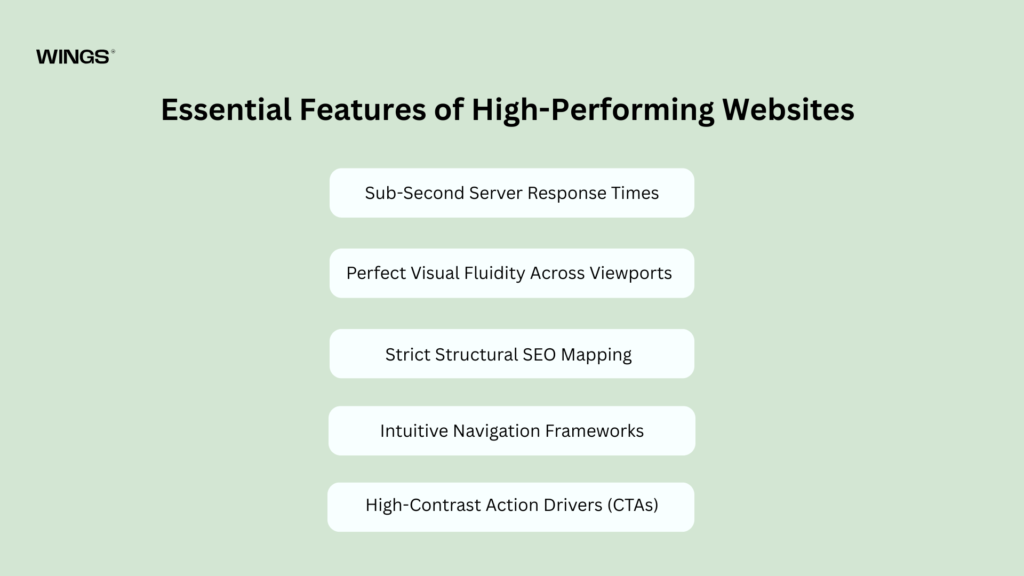
Essential Features of High-Performing Websites
Beyond visual appeal, top-tier websites focus heavily on performance, accessibility, and measurable conversion engineering.
-
Sub-Second Server Response Times: Leveraging edge-hosting content delivery networks (CDNs) guarantees that text files, images, and visual components load instantly, no matter where a visitor is located globally.
-
Perfect Visual Fluidity Across Viewports: Design systems must use fluid typography equations and relative percentage layout boxes to ensure transitions between an ultra-wide monitor, a tablet, and a standard smartphone look natural and intentional.
-
Strict Structural SEO Mapping: High-performing sites feature a clean semantic heading hierarchy (
<h1>down to<h6>), optimized image alt tags, schema markup, automatic XML sitemap updates, and programmatic meta tags across all dynamic pages. -
Intuitive Navigation Frameworks: Keep structural layouts simple. Visitors should be able to locate key information, like pricing, features, or contact info, in three clicks or less, guided by sticky menus or smart contextual search bars.
-
High-Contrast Action Drivers (CTAs): A call-to-action should never blend in. Use contrasting brand accent colors, isolated layouts, and copy that focuses on the value delivered to guide users toward your primary goals.
-
Complete Analytics Pipelines: Connect your platform to comprehensive analytics tools like Google Analytics 4, visual event tracking, and customer conversion funnels to turn user behavior into actionable design optimization data.
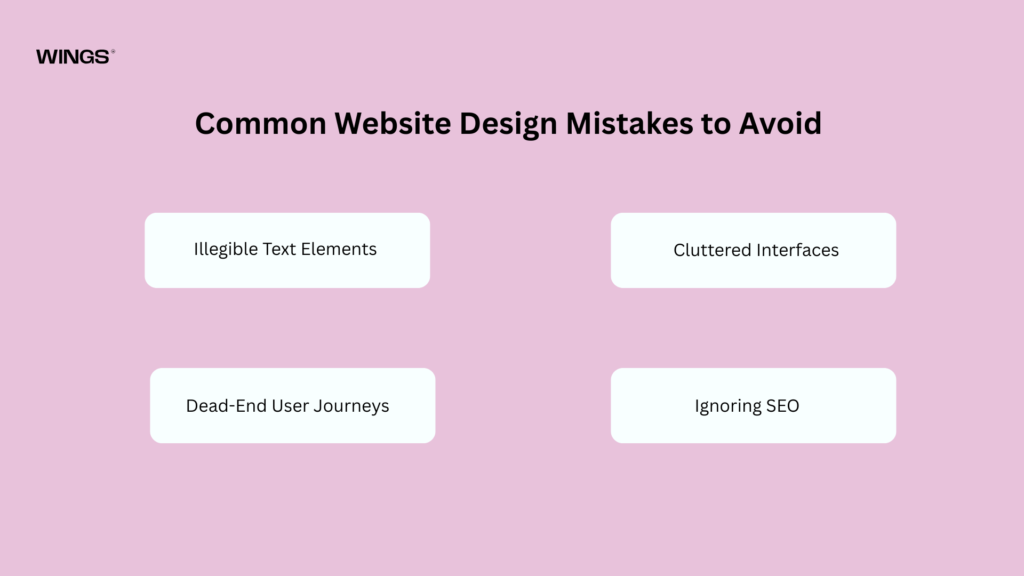
Common Website Design Mistakes to Avoid
When building a website, avoiding critical design mistakes is just as important as implementing modern features. Watch out for these common missteps:
The Animation Trap: Overloading a site with complex entry animations, parallax effects, and scroll-jacking scripts might look impressive at first, but it can ruin your site’s performance. It strains device processors, balloons load times, and creates an annoying user experience. Use motion selectively to highlight key information, not to show off.
-
Illegible Text Elements: Low contrast ratios (like light grey text on a white background) and tiny font sizes make reading difficult for everyone and can lead to accessibility compliance issues.
-
Cluttered Interfaces: Trying to display all your company’s information above the fold causes visual fatigue. Give your elements room to breathe by using plenty of white space to direct the user’s eye naturally down the page.
-
Dead-End User Journeys: Every page must guide the user to a clear next step. Ending a detailed service page or case study without an obvious call-to-action or link to related content creates a dead end that hurts engagement.
-
Ignoring SEO in the Design Phase: Building a website purely for aesthetics without considering structural content hierarchy, text accessibility, and metadata mapping usually means you’ll have to invest in a costly re-optimization process down the road.
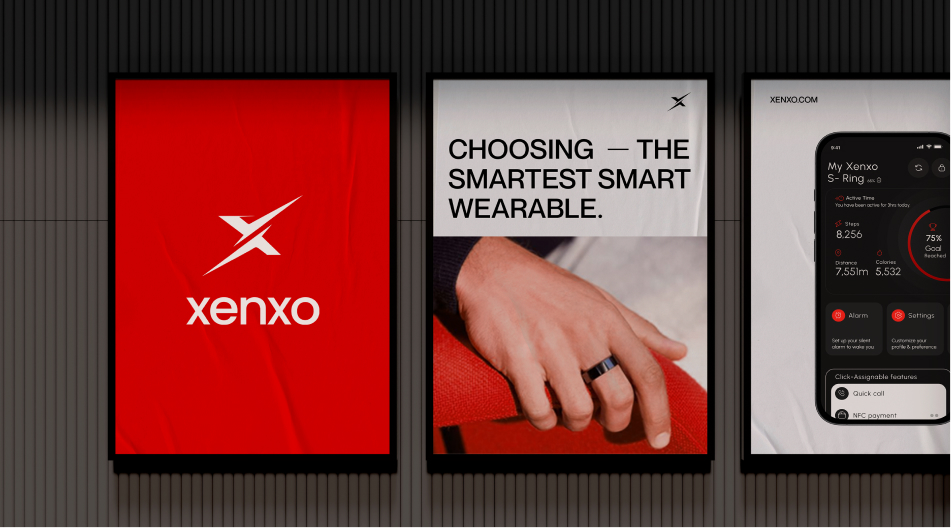
Explore the UX design process behind the Xenxo.
The Future of Website Design
Looking ahead, the web is moving toward increasingly adaptive, contextual, and immersive user experiences.
Generative Contextual Web Design
The static website model is shifting toward highly dynamic interfaces. In the future, websites will adapt in real time based on a user’s intent. A technical developer and a corporate executive visiting the same landing page will see completely tailored messaging, structural layouts, and data highlights optimized for their specific needs.
No-Code and Low-Code Maturity
The barrier between design ideas and production code is fading completely. Visual design tools now export clean, optimized code out of the box. This shift allows engineers to move away from basic layout adjustments and focus on complex data handling, security infrastructure, and custom application features.
Spatial Web Interfaces (AR/VR)
As spatial computing and extended reality (XR) hardware continue to grow, web design is expanding beyond flat screens. Designers will create scalable layout systems that look great on a standard phone screen but can also unpack seamlessly into 3D space.
Conclusion
A successful website in 2026 balances technical performance, smart utility, and human-centered design. While AI tools can handle rapid prototyping and streamline content creation, the human touch remains essential. Strategy, brand storytelling, and an empathetic understanding of your target user are what turn a basic webpage into a powerful business engine.
Take a look at your current digital presence. Are you using modern layouts like bento grids to make information easily scannable? Does your site load instantly on mobile devices? Are you taking advantage of visual canvas design platforms to move quickly? The web moves fast, updating your site with clean design and performance optimization is the best way to keep your brand ahead of the competition.

Thanseem
Junior UI/UX Designer