


A successful website starts with choosing the right development tools and platforms. Whether you’re building a business website, eCommerce store, blog, or web application, the right technology stack improves performance, security, scalability, and user experience. From planning and design to development, hosting, and SEO, every tool plays an important role in creating a fast, reliable, and modern website. This guide explores the essential website development tools and platforms you need to build and maintain high-performing websites efficiently.
Planning and Research Tools
Every successful website begins with proper planning. Skipping the planning phase often leads to poor navigation, missed requirements, budget overruns, and delayed launches.
Planning tools help developers and businesses organize ideas before moving into design and development.
Essential planning activities include:
- Defining project objectives
- Understanding target audience
- Competitor research
- Website structure planning
- Feature prioritization
- User journey mapping
Popular planning tools include:
- Project management software
- Mind mapping applications
- Flowchart creators
- Wireframing tools
- Documentation platforms
Proper planning ensures everyone involved in the project understands expectations before development begins.

Explore the Web development process behind the Kind Energy
UI/UX Design Platforms
A beautiful website isn’t enough, it must also be easy to use.
User Interface (UI) focuses on visual design, while User Experience (UX) ensures visitors can navigate your website effortlessly.
Modern design platforms allow teams to collaborate, prototype, and test layouts before development starts.
Good UI/UX design improves:
- User engagement
- Conversion rates
- Navigation
- Accessibility
- Brand trust
- Customer satisfaction
Designers typically create:
- Wireframes
- Mockups
- Interactive prototypes
- Design systems
- Responsive layouts
Starting with a well-planned design reduces development revisions and creates a smoother workflow.
Frontend Development Tools
Frontend development is responsible for everything visitors see and interact with.
This includes:
- Navigation menus
- Buttons
- Images
- Forms
- Animations
- Responsive layouts
The core frontend technologies remain:
HTML
Defines the website’s structure.
CSS
Controls layout, typography, spacing, colors, and responsiveness.
JavaScript
Adds interactivity such as sliders, dynamic content, form validation, and animations.
Modern frontend development also relies on frameworks and libraries that improve efficiency by providing reusable components and faster rendering.
Key considerations for frontend development include:
- Mobile responsiveness
- Fast loading speed
- Accessibility compliance
- Cross-browser compatibility
- Clean and maintainable code
A well-built frontend directly impacts user experience and search engine rankings.
Backend Development Platforms
The backend powers everything happening behind the scenes.
Whenever a user logs in, submits a form, places an order, or updates account information, the backend processes those requests.
Backend development manages:
- Business logic
- User authentication
- Databases
- APIs
- Payment processing
- Server communication
A reliable backend should provide:
- Security
- Scalability
- Performance
- Error handling
- Data validation
Developers choose backend technologies based on project size, expected traffic, and business requirements.
An efficient backend ensures websites remain stable as user demand grows.

Explore the Web development process behind the Bluewhale.
Database Solutions
Every dynamic website requires a database.
Databases store essential information including:
- User accounts
- Product catalogs
- Blog posts
- Customer orders
- Contact forms
- Analytics data
There are two primary database categories:
Relational Databases
These organize data into structured tables with defined relationships, making them ideal for applications requiring consistency and complex queries.
NoSQL Databases
These provide greater flexibility by storing unstructured or semi-structured data, making them suitable for applications with rapidly changing data models or high scalability needs.
Choosing the appropriate database depends on:
- Data complexity
- Performance requirements
- Scalability
- Budget
- Development speed
A well-designed database improves website reliability and application performance.
Code Editors and IDEs
A developer spends most of their time writing code.
Choosing a productive code editor significantly improves efficiency.
Modern code editors provide features such as:
- Syntax highlighting
- Intelligent code completion
- Integrated terminal
- Error detection
- Extensions
- Git integration
- Code formatting
- Debugging support
Integrated Development Environments (IDEs) go further by combining coding, debugging, testing, and deployment tools into a single workspace.
An optimized development environment reduces repetitive tasks and allows developers to focus on building high-quality applications.
Version Control Systems
Website development is rarely a solo effort.
Version control systems track every code change, allowing teams to collaborate safely without overwriting each other’s work.
Key benefits include:
- Code history tracking
- Team collaboration
- Backup of source code
- Branch management
- Easy rollback
- Code reviews
- Continuous integration support
Without version control, recovering from mistakes becomes difficult, especially in large projects with multiple contributors.
For professional web development, version control is considered an essential part of every workflow.

Explore the Web development process behind the perceptyne.
Testing and Debugging Tools
No website should go live without thorough testing. Even a small bug can affect user experience, reduce conversions, or expose security vulnerabilities. Testing ensures that every feature works as expected across different devices, browsers, and operating systems.
Testing and debugging tools help developers identify issues early, making the development process more efficient and reducing the cost of fixing problems after launch.
Types of Website Testing
Functional Testing
Verifies that all website features, such as forms, navigation menus, login systems, and payment gateways, function correctly.
Performance Testing
Measures how quickly a website loads and responds under different traffic conditions.
Cross-Browser Testing
Ensures your website displays and functions consistently across browsers like Chrome, Firefox, Safari, and Edge.
Responsive Testing
Checks that the website adapts seamlessly to desktops, tablets, and smartphones.
Security Testing
Identifies vulnerabilities that could be exploited by hackers or malicious software.
Why Testing Matters
A well-tested website offers:
- Better user experience
- Faster loading speeds
- Improved customer trust
- Higher conversion rates
- Fewer maintenance issues
- Stronger security
Making testing a regular part of your workflow ensures a polished and reliable final product.
Website Hosting Platforms
Once your website is developed, it needs a reliable hosting platform to make it accessible on the internet. Your hosting provider stores your website files and serves them to visitors whenever they access your domain.
Choosing the right hosting platform is essential because it directly impacts speed, uptime, scalability, and security.
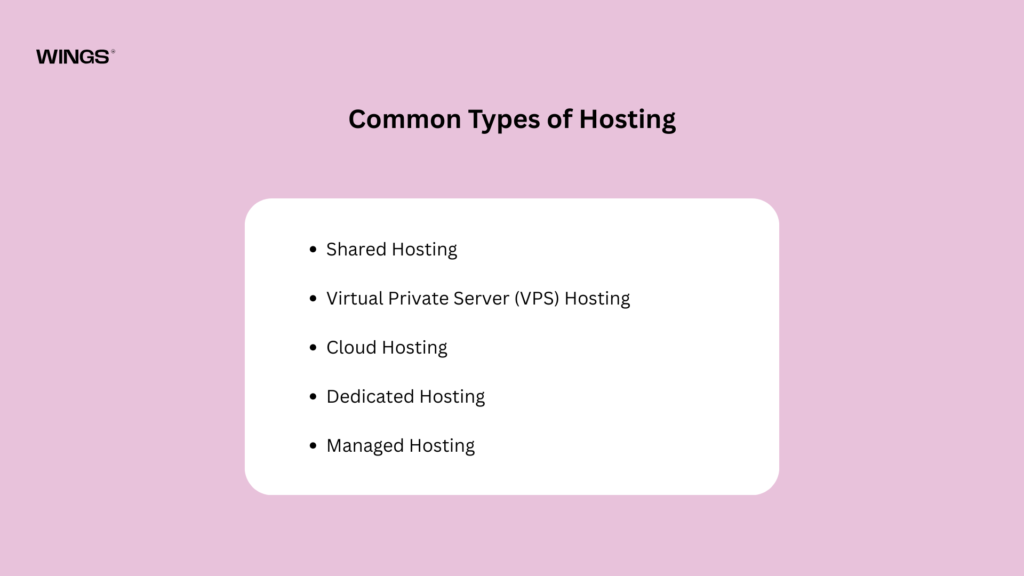
Common Types of Hosting
Shared Hosting
Best for personal blogs and small business websites with moderate traffic.
Virtual Private Server (VPS) Hosting
Provides dedicated resources, making it suitable for growing websites.
Cloud Hosting
Offers excellent scalability by distributing resources across multiple servers, making it ideal for businesses expecting traffic fluctuations.
Dedicated Hosting
Provides an entire physical server for one website, making it suitable for enterprise-level applications.
Managed Hosting
The hosting provider handles updates, backups, monitoring, and security, allowing developers to focus on building the website.
What to Look for in a Hosting Platform
- High uptime guarantee
- Fast server response times
- Automatic backups
- SSL certificate support
- Easy scalability
- Technical support
- Security features
- Global server locations
Reliable hosting ensures your website remains available, secure, and fast for users worldwide.
Domain Name and DNS Management
A domain name is your website’s unique address on the internet. It represents your brand and makes it easy for users to find your website.
DNS (Domain Name System) acts like the internet’s phonebook, translating your domain name into the server’s IP address so browsers can load your website.
Tips for Choosing a Domain Name
- Keep it short and memorable.
- Use simple spelling.
- Avoid numbers and hyphens.
- Reflect your brand or business.
- Choose an appropriate domain extension such as .com, .org, or .net.
Proper DNS management also helps improve website reliability, email configuration, and security.

Explore the Web development process behind the franck muller.
Content Management Systems (CMS)
A Content Management System (CMS) enables users to create, edit, and manage website content without extensive coding knowledge.
CMS platforms are ideal for blogs, news websites, portfolios, business websites, and eCommerce stores.
Benefits of Using a CMS
- Easy content publishing
- User-friendly dashboard
- Built-in media management
- Theme customization
- Plugin support
- Multi-user collaboration
- SEO-friendly features
When selecting a CMS, consider factors such as scalability, ease of use, customization options, security, and community support.
A well-chosen CMS simplifies website management and allows businesses to keep their content fresh and relevant.
Website Security Tools
Cybersecurity is no longer optional. Websites face constant threats from hackers, malware, phishing attacks, and data breaches. Protecting your website safeguards both your business and your users.
Essential Security Measures
SSL Certificates
Encrypt data transferred between users and the server, ensuring secure communication.
Firewalls
Monitor and filter incoming traffic to block malicious requests.
Malware Scanning
Detects and removes harmful software before it can cause damage.
Regular Backups
Allow quick recovery in case of data loss or cyberattacks.
Strong Authentication
Implement secure passwords and multi-factor authentication for user accounts.
Software Updates
Keep your website platform, plugins, and server software up to date to reduce vulnerabilities.
Benefits of Website Security
- Protects customer information
- Builds user trust
- Prevents downtime
- Supports SEO rankings
- Reduces financial risks
- Ensures business continuity
A secure website is essential for maintaining credibility and long-term success.
Performance Optimization Tools
Website speed significantly influences user satisfaction and search engine rankings. Studies show that users expect pages to load within just a few seconds, and slow websites often experience higher bounce rates.
Performance Optimization Techniques
- Compress images without sacrificing quality.
- Minify CSS, JavaScript, and HTML files.
- Enable browser caching.
- Use a Content Delivery Network (CDN).
- Optimize database queries.
- Reduce unnecessary plugins and scripts.
- Implement lazy loading for images and videos.
Benefits of Website Optimization
- Faster loading times
- Better user experience
- Higher SEO rankings
- Increased conversions
- Lower server load
- Improved mobile performance
Regular performance monitoring ensures your website remains fast as content and traffic grow.
SEO Tools for Better Rankings
Search Engine Optimization (SEO) helps websites rank higher in search engine results, making it easier for potential customers to discover your content organically.
SEO begins during website development, not after launch.
Essential SEO Practices
- Optimize page titles and meta descriptions.
- Use descriptive URLs.
- Create a logical heading structure.
- Improve page loading speed.
- Ensure mobile responsiveness.
- Add descriptive image alt text.
- Build internal links between related pages.
- Publish high-quality, original content.
Why SEO Matters
Effective SEO can:
- Increase organic traffic
- Improve brand visibility
- Generate qualified leads
- Enhance user experience
- Build long-term authority
By incorporating SEO best practices during development, you create a strong foundation for sustainable online growth.

Explore the Website Development process behind the Quint.
Analytics and User Behavior Tracking
Launching a website is only the beginning. To improve performance over time, you need to understand how visitors interact with your site.
Analytics tools provide valuable insights into user behavior and website performance.
Key Metrics to Monitor
- Number of visitors
- Traffic sources
- Popular pages
- Average session duration
- Bounce rate
- Conversion rate
- Device usage
- Geographic locations
Benefits of Analytics
Data-driven insights help you:
- Improve user experience
- Identify content gaps
- Optimize marketing campaigns
- Increase conversions
- Make informed business decisions
Continuous analysis ensures your website evolves based on real user behavior rather than assumptions.
Collaboration and Project Management Tools
Modern website development often involves teams of designers, developers, content creators, marketers, and project managers. Effective collaboration keeps everyone aligned and projects on schedule.
Features of Good Collaboration Tools
- Task management
- Team communication
- File sharing
- Progress tracking
- Deadline management
- Documentation
- Workflow automation
Advantages
- Improved productivity
- Clear accountability
- Faster communication
- Better project visibility
- Reduced delays
- Higher quality outcomes
Strong collaboration is especially important for large or complex website projects.
Essential Website Development Workflow
Building a successful website follows a structured process. Each stage contributes to creating a high-quality final product.
Step 1: Planning
Define goals, target audience, website structure, and project requirements.
Step 2: Design
Create wireframes, mockups, and responsive UI/UX designs.
Step 3: Development
Build the frontend and backend while integrating databases and APIs as needed.
Step 4: Testing
Verify functionality, responsiveness, performance, accessibility, and security.
Step 5: Deployment
Publish the website on a reliable hosting platform and connect the domain.
Step 6: Monitoring
Track analytics, monitor uptime, fix issues, and gather user feedback.
Step 7: Maintenance
Update content, improve features, strengthen security, and optimize performance regularly.
Following this workflow ensures a smoother development process and a more reliable website.
Conclusion
Building a successful website requires more than just coding. It involves choosing the right tools for planning, design, development, hosting, security, SEO, and performance optimization. A well-balanced website development stack helps create fast, secure, scalable, and user-friendly websites. By following best practices and using the right platforms, you can build high-performing websites that deliver an excellent user experience and support long-term business growth.

Prasanna M
WordPress Developer