

Why the First 10 Seconds Matter
Imagine walking into a physical store with poor lighting, confusing signs, and no staff to greet you. Chances are, you’d turn around and leave before exploring what the business has to offer. The same thing happens online. Visitors form an opinion about your website within seconds, and that first impression determines whether they continue browsing or click away.
The first 10 seconds are especially important because they’re when users decide if your website looks trustworthy, relevant, and easy to use. A well-designed website with clear messaging instantly communicates professionalism, while a cluttered or outdated site can make visitors question your credibility. Whether you’re selling products, offering services, or sharing information, trust is the foundation of every successful online interaction.
A trustworthy website doesn’t just attract visitors, it encourages them to stay longer, explore your content, and ultimately take action. From filling out a contact.
t form to making a purchase, every conversion begins with confidence. If your website fails to create that confidence immediately, even the best products or services may go unnoticed.
In this first part of the series, you’ll learn what the 10-Second Trust Test is, why it matters, and the seven questions every visitor subconsciously asks the moment they land on your website.

Explore the Website development process behind the Kind Energy
What Is the 10-Second Trust Test?
The 10-Second Trust Test is a simple way to evaluate whether your website makes a strong first impression. It measures how quickly visitors can understand who you are, what you offer, and whether they should trust your business.
Most people don’t read every word on a webpage. Instead, they scan headlines, images, buttons, and navigation menus to find information that matters to them. If they can’t immediately understand your value or find what they’re looking for, they’re likely to leave and visit a competitor’s site instead.
This behavior is driven by today’s fast-paced digital environment. With countless alternatives just a click away, users have little patience for confusing layouts, slow-loading pages, or unclear messaging. A website that clearly communicates its purpose within seconds has a much better chance of keeping visitors engaged.
The 10-Second Trust Test isn’t about flashy animations or complicated design trends. It’s about clarity, credibility, and usability. Can visitors quickly identify what your business does? Do they feel safe browsing your site? Is the next step obvious? These are the factors that determine whether they’ll stay or leave.
Passing this test means removing unnecessary friction and focusing on what matters most: helping visitors understand your business quickly while giving them confidence that they’re in the right place.
The 7 Questions Every Visitor Asks Instantly
Whether they realize it or not, every visitor asks a series of questions when they arrive on a website. Your homepage should answer each of these within the first few seconds.
01. What Does This Business Do?
Visitors should immediately understand what your business offers. A clear headline and short supporting description can eliminate confusion. Avoid vague slogans that sound clever but don’t explain your products or services.
02. Is This for Me?
Your website should clearly identify its target audience. Visitors need to know whether your products or services solve their specific problem. Tailoring your messaging to your ideal customers helps them feel understood and encourages them to explore further.
03. Can I Trust Them?
Trust is built through professional design, consistent branding, high-quality content, and a polished user experience. Broken layouts, outdated graphics, or poor grammar can quickly undermine confidence, even if your business is legitimate.
04. Are They Legitimate?
People look for signs that your business is real. Company information, customer reviews, testimonials, case studies, certifications, and an accessible contact page all reinforce credibility. These elements reassure visitors that they’re dealing with an established organization.
05. Is the Website Secure?
Online security is a top concern, especially when visitors are asked to submit personal information or payment details. A secure HTTPS connection, privacy policies, and recognizable trust indicators help users feel safe interacting with your website.
06. Can I Find What I Need?
Simple navigation plays a major role in user experience. Clear menus, logical page organization, and an effective search function help visitors locate information without frustration. If users struggle to find answers, they’re unlikely to stay.
07. What Should I Do Next?
Every page should guide visitors toward a clear next step. Whether it’s requesting a quote, scheduling a consultation, downloading a resource, or making a purchase, a prominent call-to-action removes uncertainty and encourages engagement.

Explore the Web development process behind the Blossom Height.
Can Your Website Pass the 10-Second Trust Test?
Signs Your Website Is Failing the Trust Test
Even if your business offers excellent products or services, your website can still lose potential customers if it fails to establish trust quickly. Visitors often decide within seconds whether a website looks credible and worth exploring. If your site creates confusion or frustration, they may leave without taking any action. Here are some of the most common signs that your website is failing the 10-Second Trust Test.
Confusing Messaging
One of the biggest reasons visitors leave a website is because they don’t understand what the business does. If your homepage relies on catchy slogans or industry jargon instead of clearly explaining your products or services, users may become confused. Your headline should immediately communicate what you offer, who it’s for, and how it benefits your audience. Clear, straightforward messaging helps visitors feel confident that they’re in the right place.
Outdated Design
A website’s appearance significantly influences how trustworthy it seems. An outdated design with old fonts, inconsistent colors, low-quality images, or cluttered layouts can make even a reputable business appear unprofessional. Modern, clean, and visually appealing designs create a positive first impression and show that your business cares about quality and user experience.
Slow Loading Speed
Website speed directly affects user satisfaction and trust. Visitors expect pages to load quickly, especially on mobile devices. If your website takes several seconds to appear, many users will abandon it before they even see your content. Optimizing images, reducing unnecessary scripts, and choosing reliable hosting can dramatically improve loading times and keep visitors engaged.
Weak Calls-to-Action (CTAs)
After understanding what your business offers, visitors need to know what to do next. If your call-to-action is difficult to find, poorly worded, or missing altogether, users may leave without taking action. Effective CTAs use clear language such as “Get a Free Quote,” “Book a Demo,” or “Contact Us Today.” They should stand out visually and guide visitors toward the next step in their journey.
Missing Contact Information
Trust increases when visitors know they can easily reach your business. If your website hides your phone number, email address, physical location, or contact form, users may question your legitimacy. Displaying contact information prominently, especially in the header, footer, or dedicated contact page, reassures visitors that real people are behind the business.

Explore the Web development process behind the DCC
The Key Elements That Build Instant Trust
Once you’ve eliminated common trust issues, the next step is adding elements that strengthen your credibility from the moment visitors arrive.
Clear Value Proposition
Your value proposition is the promise you make to potential customers. It should explain what you offer, how you solve a problem, and why customers should choose you over competitors. A strong value proposition is concise, customer-focused, and prominently displayed on your homepage.
Professional Visual Design
People naturally associate polished design with professionalism. Consistent branding, readable typography, balanced spacing, and high-quality visuals create a positive impression. Avoid clutter, excessive animations, or distracting colors that make your website feel overwhelming.
Customer Testimonials and Reviews
Social proof is one of the most powerful trust builders. Genuine testimonials, ratings, and reviews demonstrate that other customers have had positive experiences with your business. Whenever possible, include customer names, photos, or company details to increase authenticity.
Trust Badges and Certifications
Displaying trust badges, industry certifications, awards, or memberships can reassure visitors that your business meets recognized standards. Security badges are especially valuable on checkout pages, while professional certifications reinforce expertise in service-based industries.
Transparent Pricing and Policies
Visitors appreciate honesty and transparency. If possible, provide clear pricing information or explain how your pricing works. Make your refund policy, shipping details, privacy policy, and terms of service easy to find. Hidden fees or vague policies often create doubt and discourage conversions.
Team Photos and Company Information
People trust people more than logos. Showing real photos of your team, sharing your company story, and introducing key staff members helps humanize your brand. An informative “About Us” page demonstrates that there are real professionals behind the business and helps build a personal connection with visitors.
Homepage Essentials: What Visitors Should See First
Your homepage acts as the digital front door to your business. Within seconds, it should answer visitors’ most important questions and guide them toward the next step.
An effective homepage should include:
- A strong headline that clearly explains what your business offers.
- Supporting copy that highlights the key benefits of your products or services.
- A prominent primary call-to-action that encourages visitors to take immediate action.
- Social proof, such as customer testimonials, review ratings, client logos, or case studies, to reinforce credibility.
- Visible contact options, including your phone number, email address, or live chat, so visitors can easily reach you if they have questions.
When these elements work together, visitors quickly understand your value, feel confident in your credibility, and know exactly what to do next.

Explore the Web development process behind the Pureforma
Can Your Website Pass the 10-Second Trust Test?
Mobile Trust Matters Too
More than half of all website traffic now comes from mobile devices, making a mobile-friendly experience essential rather than optional. A website that looks great on a desktop but performs poorly on a smartphone can quickly lose potential customers. Mobile users expect pages to load fast, navigation to be intuitive, and buttons to be easy to tap.
A responsive design automatically adjusts your website to different screen sizes, ensuring content remains readable and visually appealing. Fast loading speeds are equally important, as mobile users are often browsing on slower networks. Compressing images, minimizing unnecessary scripts, and using reliable hosting can improve performance.
Navigation should also be simple and clutter-free. A clear menu, well-organized content, and mobile-friendly call-to-action (CTA) buttons make it easy for visitors to find information and complete tasks. When your website delivers a smooth mobile experience, it reinforces trust and encourages users to stay longer and engage with your business.
Common Trust-Killing Mistakes
Even a visually attractive website can lose credibility if it contains avoidable mistakes. Identifying and fixing these issues can significantly improve user confidence.
Too Many Pop-Ups
While pop-ups can be useful for promotions or email sign-ups, displaying them immediately or too frequently frustrates visitors. Excessive interruptions make the browsing experience feel intrusive and can drive users away before they explore your content.
Generic Stock Images
People connect with authenticity. Overused stock photos can make your business appear impersonal or insincere. Whenever possible, use original images of your team, office, products, or completed projects to create a stronger sense of trust.
Broken Links
Few things damage credibility faster than clicking a link that leads to a 404 error. Broken links suggest poor website maintenance and create frustration for visitors. Regularly auditing your site helps ensure all pages and buttons function correctly.
Poor Grammar and Spelling
Content filled with spelling mistakes or grammatical errors appears unprofessional. Carefully proofread your website or use editing tools to ensure your copy is accurate, polished, and easy to read.
Cluttered Layouts
Too much text, excessive colors, or crowded page elements overwhelm visitors. A clean layout with consistent spacing, clear headings, and ample white space improves readability and makes your website feel more professional.
Hidden Fees or Vague Messaging
Transparency is essential for building trust. Unexpected costs, unclear pricing, or ambiguous service descriptions can make visitors question your business. Clearly explain your pricing, policies, and offerings so users know exactly what to expect.
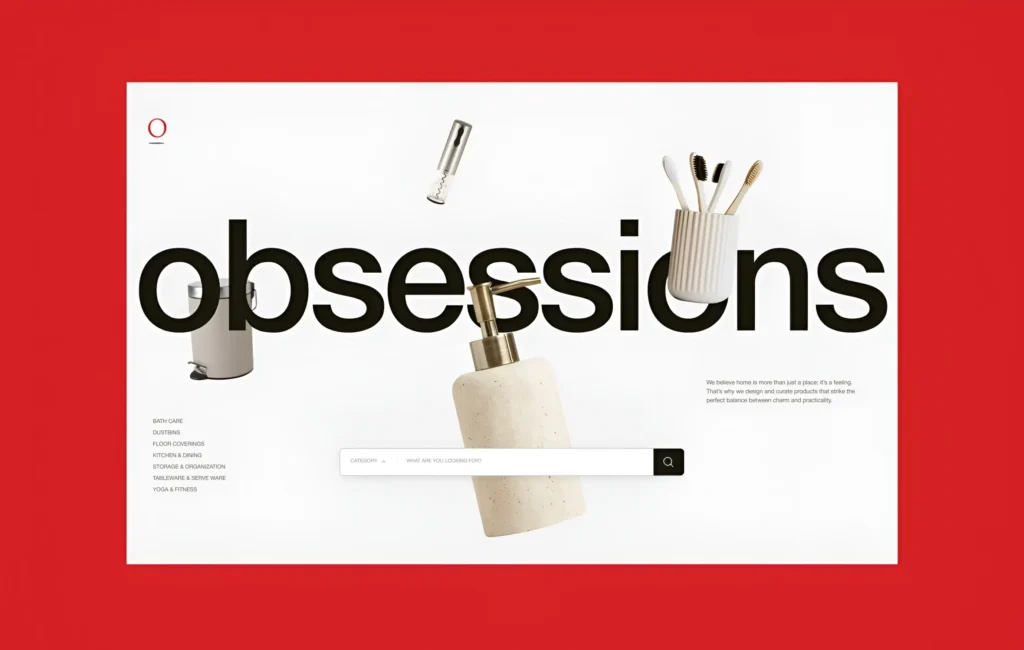
Explore the Web development process behind the Obsessions
How to Perform Your Own 10-Second Trust Test
Testing your website from a first-time visitor’s perspective is one of the best ways to identify weaknesses.
Start by asking people who are unfamiliar with your business to visit your homepage for just 10 seconds. Afterward, ask them a few simple questions:
- What does this business do?
- Who is the target audience?
- Did the website seem trustworthy?
- What action would you take next?
- Was anything confusing or missing?
If participants struggle to answer these questions, your website likely needs improvements. Pay attention to recurring feedback and prioritize changes that improve clarity, navigation, and credibility.
You can also use website analytics to monitor bounce rates, session duration, and conversion rates. These metrics provide valuable insights into how visitors interact with your website and where they may be losing confidence.
A Simple 10-Point Website Trust Checklist
Before publishing or updating your website, review this quick checklist:
- Clearly explain what your business does.
- Display a compelling value proposition.
- Use a clean, modern, and professional design.
- Ensure pages load quickly.
- Make navigation simple and intuitive.
- Include customer reviews or testimonials.
- Display contact information prominently.
- Show security indicators and privacy policies.
- Use clear and visible calls-to-action.
- Test your website regularly on desktop and mobile devices.
If you can confidently check every item on this list, your website is well positioned to make a positive first impression.
Real-World Examples
Consider two business websites offering similar services.
The first website features a clear headline, professional design, customer testimonials, visible contact information, and a prominent “Get a Free Quote” button. Visitors immediately understand the company’s services and feel confident enough to explore further or make an inquiry.
The second website has an outdated layout, vague messaging, broken links, and no customer reviews or contact details. Visitors struggle to understand the business and quickly leave for a competitor with a more polished online presence.
The difference isn’t necessarily the quality of the businesses, it’s how effectively they communicate trust within the first few seconds.
Final Thoughts: Small Changes, Big Trust Gains
Your website has only a brief opportunity to earn a visitor’s trust, but small improvements can make a significant difference. Clear messaging, fast loading speeds, professional design, authentic social proof, and easy navigation all work together to create a positive first impression.
Remember that trust isn’t built once and forgotten. As customer expectations, design trends, and technology evolve, your website should evolve too. Regularly review your content, test your user experience, fix technical issues, and gather feedback from real visitors. Continuous optimization helps ensure your website remains credible, user-friendly, and competitive.
Passing the 10-Second Trust Test isn’t about having the most advanced website, it’s about making visitors feel confident, informed, and ready to take the next step. When your website earns trust from the very first click, you’re more likely to increase engagement, generate leads, and turn casual visitors into loyal customers.

Prasanna M
Developer