
Website animation has become an important part of modern web design, helping businesses create more engaging and interactive digital experiences. From subtle button transitions to immersive 3D visuals, animation can guide visitors through a website, communicate product features, and bring a brand’s personality to life. When used with purpose, it adds depth to the design without getting in the way of usability.
However, effective website animation involves more than making elements move. Every transition, interaction, and visual effect should serve a clear purpose. A well-designed animated website balances visual appeal with navigation, accessibility, loading speed, and conversion goals. Understanding the different types of website animation helps businesses make informed decisions about where motion can add value.
What Is Website Animation?
Website animation refers to the movement of visual elements on a webpage in response to user actions, scrolling, loading events, or timed sequences. Designers and developers use technologies such as CSS, JavaScript, SVG, and WebGL to create everything from simple hover effects to complex interactive experiences.
Unlike static design elements, animation introduces movement that can communicate changes and establish visual hierarchy. For example, a button that changes appearance when hovered over indicates that it is interactive, while a product animation can help visitors understand its shape, features, or functionality.
Website animation can serve several purposes:
- Improve navigation: Use transitions and visual cues to make interactions easier to understand.
- Direct attention: Highlight important content, product features, and calls to action.
- Strengthen brand identity: Use consistent motion to create a distinctive visual language.
- Explain complex ideas: Present products, processes, or concepts through interactive visuals.
- Create memorable experiences: Give visitors a more engaging way to explore a brand online.
Types of Website Animation
Different animation techniques serve different design objectives. Choosing the right approach depends on the website’s purpose, target audience, content, and technical requirements.
1. Microinteractions and Hover Animations
Microinteractions are small animations that respond to user actions. Common examples include buttons changing colour on hover, navigation links revealing an underline, product cards lifting slightly, and form fields providing visual feedback.
These subtle effects make a website feel responsive and help visitors understand how individual elements behave. For ecommerce websites, hover animations can reveal alternate product images or highlight clickable product cards, making browsing more intuitive.
The key is consistency. Animations should behave predictably across similar elements instead of introducing a different interaction style on every section.
2. Scroll-Based Website Animations
Scroll animations trigger as visitors move through a webpage. Text may fade into view, images may reveal themselves gradually, and sections may transition between visual states as the user explores the content.
These effects work particularly well for long-form landing pages, brand storytelling, product presentations, and portfolio websites. They can establish a visual sequence that encourages visitors to continue exploring without overwhelming them with information at once.
For business websites, scroll-based animation should support the content rather than delay access to it. Visitors should be able to read essential information and navigate comfortably, even when animations are disabled or reduced.
3. 3D Website Animation
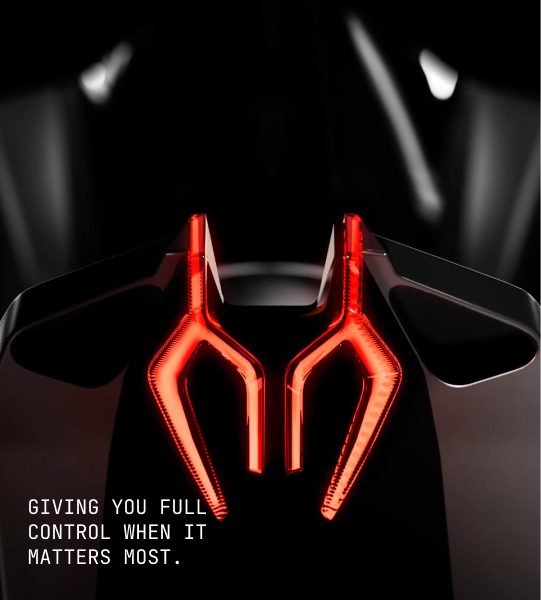
3D website animation adds depth, movement, and interactivity to digital experiences. It can be used to showcase products from different angles, simulate real-world environments, or create immersive visual storytelling around a brand.
This approach is particularly useful for automotive brands, luxury products, architecture, and innovative technology companies, where the visual presentation of a product is central to its appeal.
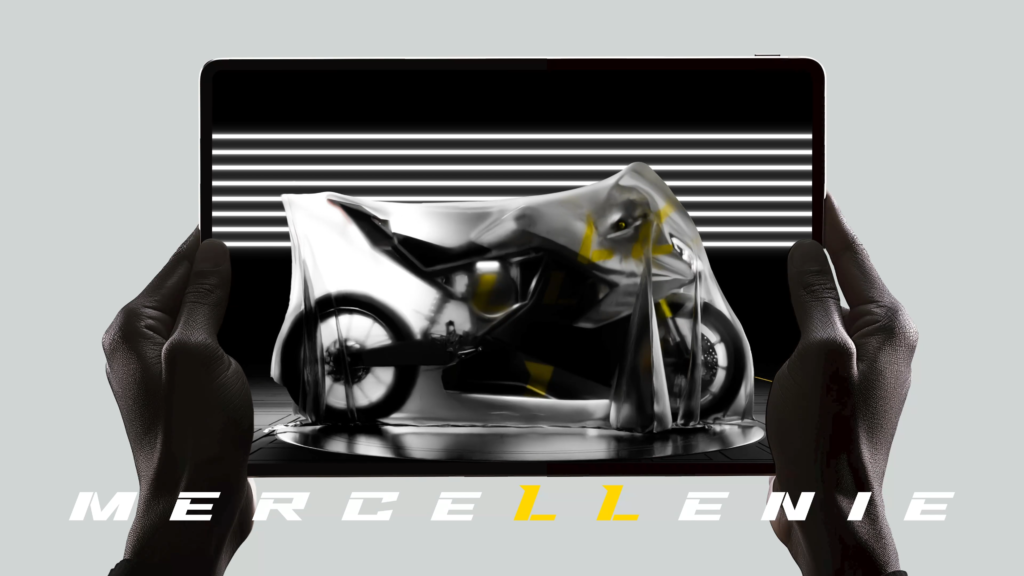
For example, explore Wings Design’s 3D website design for Mercellinie, an electric superbike concept. The project provides a relevant example of how a three-dimensional visual approach can support product storytelling and create a more distinctive digital presentation.
While 3D animation can make a website stand out, it also requires careful attention to loading performance, mobile compatibility, and interaction design. It is most effective when the immersive experience adds meaningful value to the product or brand.
4. Product and Image Animations
Product animations allow visitors to explore products through movement, image transitions, zoom effects, or interactive presentations. They are particularly valuable for ecommerce websites, where customers rely on visual information to evaluate products before making a purchase.
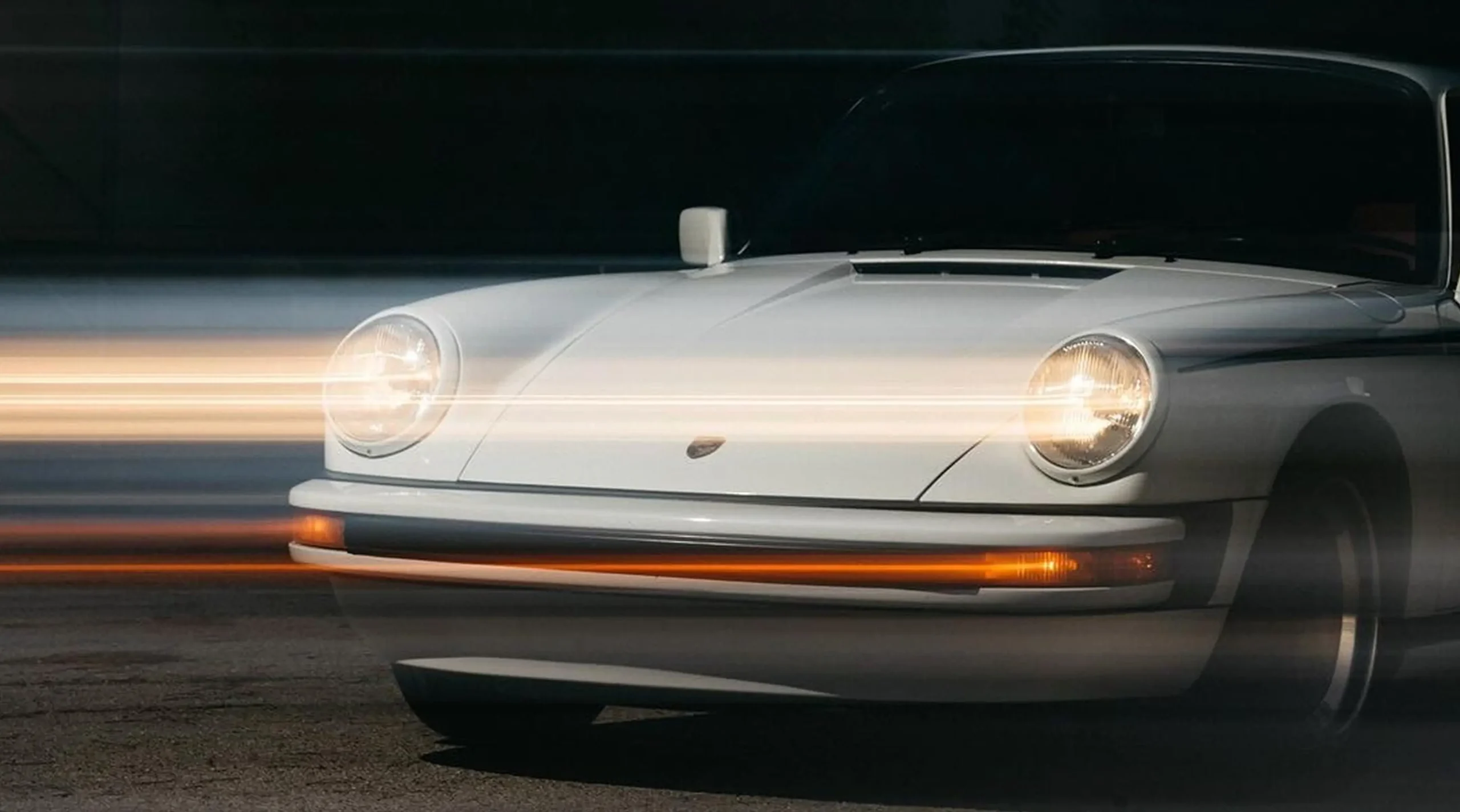
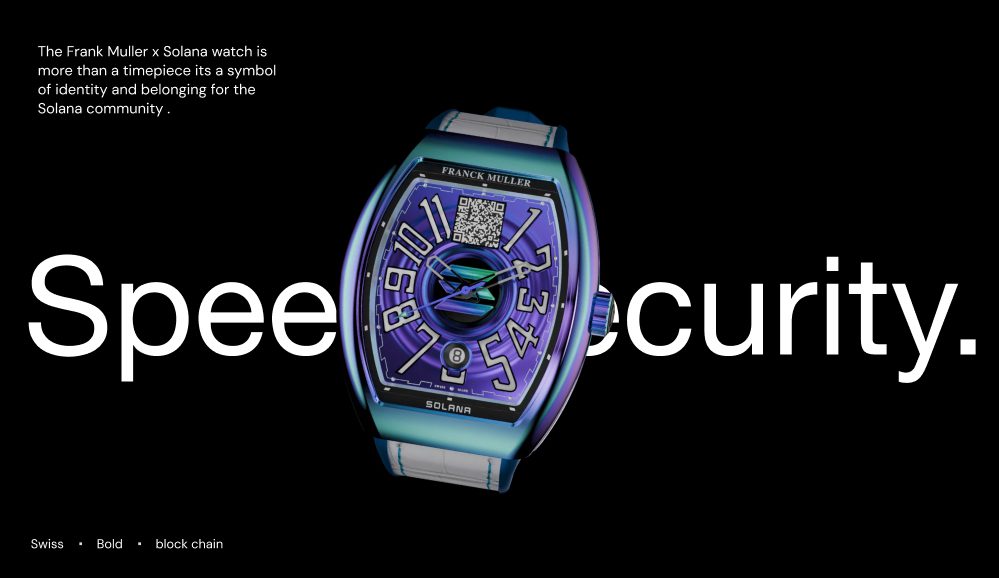
Luxury watches, jewellery, fashion, and lifestyle products can benefit from carefully designed product presentations. Smooth image transitions and subtle reveal effects can draw attention to craftsmanship, materials, and distinctive product details.
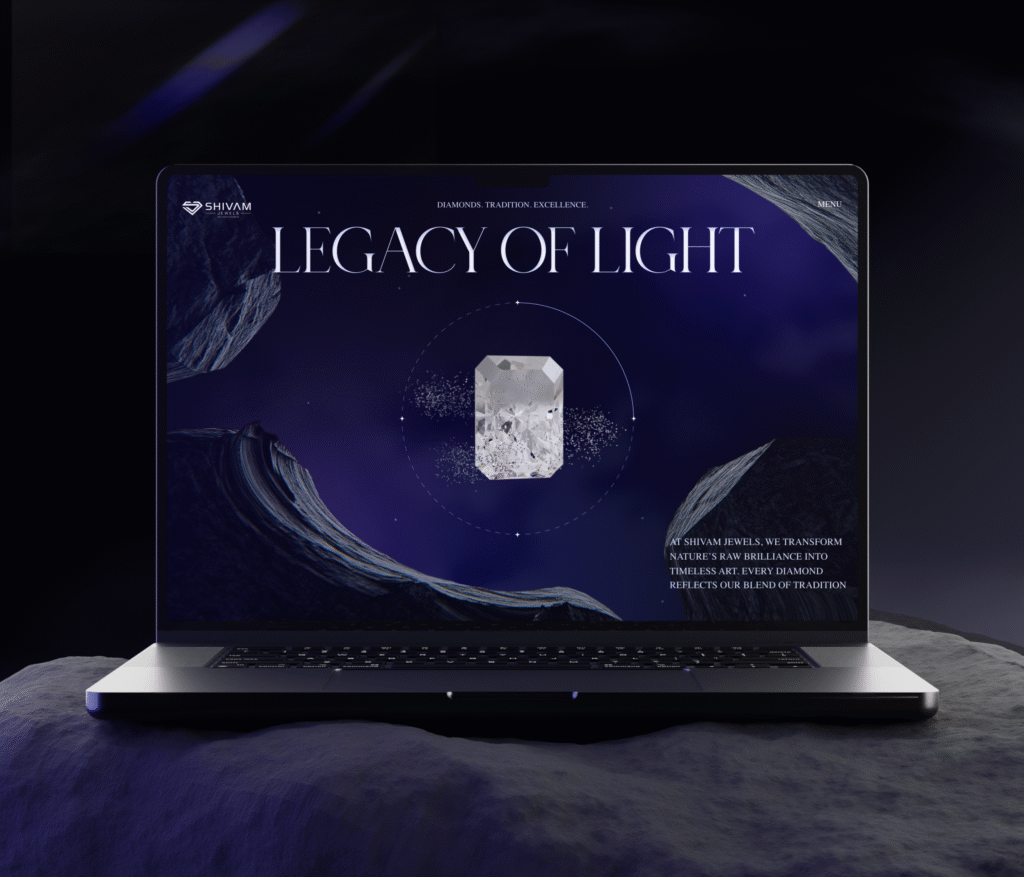
For inspiration, explore Wings Design’s website development project for Franck Muller and its website development work for Shivam Jewels. Both projects offer relevant references for considering how premium product presentation and website design work together.
The objective is not to animate every product image. It is to help customers examine the details that matter while keeping the browsing and purchasing journey straightforward.
5. Page Transitions and Loading Animations
Page transitions create visual continuity as users move between pages or interface states. Loading animations, meanwhile, provide feedback when content or an interaction takes time to complete.
When implemented appropriately, these effects make a website feel more cohesive and help visitors understand that an action is in progress. However, transitions should never create unnecessary waiting periods or prevent users from accessing the content they need.
Use lightweight transitions for navigation and clear loading indicators for genuine wait times. Avoid elaborate intro sequences that force visitors to sit through an animation before reaching the website.
Benefits of Animation in Website Design
Website animation can contribute to a better digital experience when it is aligned with business objectives and user expectations.
Improves User Experience
Animation can clarify how an interface works by showing the relationship between actions and results. A menu that expands smoothly, a form that responds to input, or a button that provides immediate feedback can make interactions easier to understand.
These details are most valuable when they reduce uncertainty. If an animation makes a task slower or less predictable, it is likely working against the user experience.
Strengthens Brand Identity
Motion can become a recognisable part of a brand’s digital identity. Consistent transitions, image reveals, and interactive elements help establish a visual style that complements typography, colour, imagery, and layout.
For premium brands, restrained animation can communicate precision and attention to detail. For technology companies, more exploratory interactions may reinforce innovation. The right style depends on the brand’s positioning rather than a general design trend.
Makes Product Storytelling More Effective
Static images and text do not always communicate how a product works or what makes it different. Animation can demonstrate product features, illustrate a process, or guide visitors through a complex concept.
For businesses selling visually distinctive or technically sophisticated products, this can make important information easier to understand. The strongest product animations combine visual appeal with clear, useful information.
Supports Engagement and Conversion Goals
Purposeful animation can direct attention towards important content, help users discover interactive elements, and provide feedback during key actions. These improvements may support engagement and conversion goals, although the impact depends on the implementation and audience.
Businesses should measure outcomes such as completed enquiries, product interactions, checkout progression, and task completion rather than assuming that more animation automatically leads to better results.
Website Animation Best Practices
A successful animated website balances creative expression with performance and usability. The following practices help businesses achieve that balance.
1. Start With a Clear Purpose
Before adding an animation, identify what it should accomplish. It might explain a product feature, indicate that a button is interactive, guide attention towards a key message, or create continuity between sections.
If an effect adds no meaningful information or usability benefit, consider whether it is necessary.
2. Keep Animations Smooth and Responsive
Animations should feel natural rather than sluggish. Simple interface transitions are often brief, while more complex storytelling sequences may require additional time. Match the duration to the action and ensure that users can continue interacting without unnecessary delays.
Avoid excessive bouncing, abrupt movement, and transitions that interrupt scrolling or navigation.
3. Prioritise Website Speed
Heavy animation libraries, large video backgrounds, and complex 3D scenes can affect loading speed and responsiveness. This is especially important for mobile visitors and users on slower connections.
To improve performance:
- Prefer CSS transitions for simple interface effects where appropriate.
- Optimise images, videos, and 3D assets before publishing.
- Load non-essential visual assets only when needed.
- Avoid unnecessary JavaScript and animation libraries.
- Test performance on mobile devices and slower network connections.
Monitor Core Web Vitals, including Largest Contentful Paint (LCP), Interaction to Next Paint (INP), and Cumulative Layout Shift (CLS), to identify potential performance issues.
4. Design for Mobile Devices
An animation that works well with a mouse may not translate effectively to a touchscreen. Hover effects may be unavailable, complex 3D interactions may be difficult to control, and large animated backgrounds may consume additional resources.
Design interactions for touch, keep essential information accessible, and ensure that visitors can navigate without relying on hover behaviour. Test animations across different screen sizes, browsers, and devices before launch.
5. Consider Accessibility
Not every visitor experiences motion in the same way. Excessive parallax, large zoom effects, rapid movement, and flashing visuals can make a website uncomfortable or difficult to use for some people.
Respect operating-system reduced-motion preferences, provide controls for persistent moving content when appropriate, and ensure that important information remains available without animation. Motion should never be the only way to communicate essential information.
6. Keep Branding and Motion Consistent
Animations should feel like part of the same design system. Consistent timing, transitions, and movement patterns create a more considered experience, while unrelated effects can make the website feel disjointed.
Define motion guidelines alongside typography, colour, spacing, and other design elements. This makes the experience easier to maintain as the website grows.
How Does Website Animation Affect SEO?
Website animation does not automatically improve search rankings. Its SEO impact depends on how it affects performance, accessibility, content visibility, and the overall user experience.
Heavy animations can delay the rendering of important content or make pages less responsive, potentially affecting Core Web Vitals. If key text or links depend on scripts that fail to load or execute correctly, search engines may also have difficulty accessing that content.
To make animated websites more search-friendly:
- Keep important headings, copy, and links accessible in the page’s HTML.
- Ensure that navigation and interactive elements work with standard browser behaviour.
- Optimise animated assets and avoid unnecessary scripts.
- Prevent animations from causing unexpected layout shifts.
- Test mobile performance and Core Web Vitals.
- Make sure essential content remains available when motion effects are reduced.
A well-designed website should combine engaging visuals with fast loading, clear information architecture, and accessible navigation. Animation is one part of that larger experience, not a substitute for sound SEO fundamentals.
Common Website Animation Mistakes to Avoid
Even visually impressive animations can undermine a website when they are poorly implemented. Watch out for these common mistakes:
- Overusing motion: Animating every element competes for attention and weakens visual hierarchy.
- Prioritising aesthetics over usability: Visitors should never have to wait for an effect to finish before completing a task.
- Ignoring performance: Large animation assets and unnecessary scripts can slow down the experience.
- Overlooking mobile behaviour: Desktop interactions may not work well on touchscreens.
- Ignoring accessibility: Motion effects should accommodate users who prefer reduced movement.
- Using animation without a design system: Inconsistent timing and behaviour can make the experience feel disconnected.
The best results come from choosing a small number of purposeful effects and implementing them consistently.
Frequently Asked Questions About Website Animation
What are the most common types of website animation?
Common types include hover effects, microinteractions, scroll-based animations, 3D animations, product animations, page transitions, and loading indicators. Each serves a different purpose, from providing interaction feedback to creating immersive product experiences.
Does website animation improve user experience?
It can improve user experience by guiding attention, providing feedback, and making interactions easier to understand. Its effectiveness depends on whether it helps visitors accomplish their goals without introducing distractions or delays.
Can website animation affect SEO?
Yes, indirectly. Poorly optimised animations can affect loading speed, responsiveness, and layout stability. Search-friendly implementation keeps important content accessible, minimises unnecessary scripts, and maintains good Core Web Vitals.
Which tools are used to create website animations?
Common options include CSS for simple transitions, JavaScript libraries for complex interactions, SVG and Lottie for vector-based animation, and WebGL-based technologies for advanced 3D experiences. The right tool depends on the project’s complexity, performance requirements, and development environment.
How can businesses use animation on ecommerce websites?
Ecommerce businesses can use animation to reveal product details, provide hover feedback, show image transitions, and make cart or checkout interactions clearer. The goal is to help customers evaluate products and complete purchases without slowing down the shopping journey.
Final Thoughts
Website animation is most effective when it serves a clear design and business objective. Subtle interactions can make navigation more intuitive, product animations can improve visual storytelling, and immersive 3D experiences can help brands present their offerings in distinctive ways.
For businesses investing in a new website or redesign, the priority should be finding the right balance between motion, usability, performance, and brand identity. When these elements work together, animation becomes more than a visual effect. It becomes a considered part of the digital experience.
Planning a website that balances distinctive design with functionality? Explore Wings Design’s website development services to see how design and development can come together to create engaging digital experiences.