


Table of Contents
Introduction
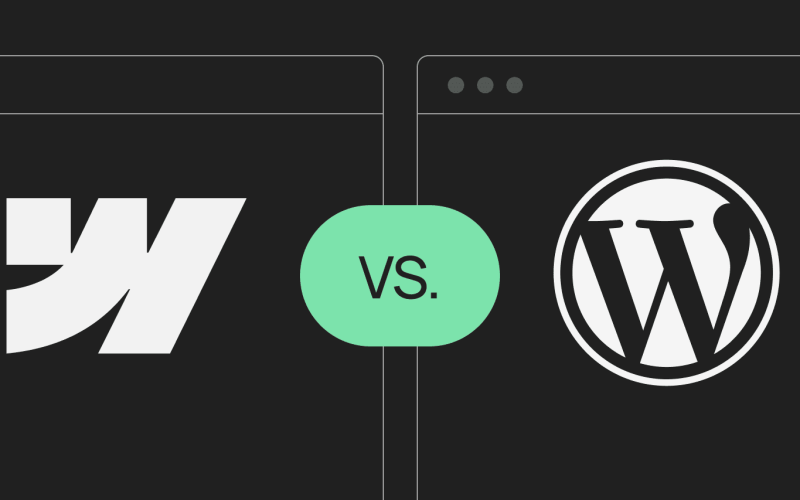
If you’re planning to build a website in 2026 — whether for a personal project, business, or client work — the platform you choose will shape not only how your site looks but also how you build, manage, and scale it over time. The right platform can make the difference between a smooth, efficient workflow and a frustrating, time-consuming process. Two of the most popular options today are WordPress and Webflow. WordPress is a veteran CMS powering over a third of all websites, known for its flexibility, extensive plugin ecosystem, and ability to handle almost any type of website.
Webflow, in contrast, is a modern visual website builder that gives designers near-code precision, letting them create custom layouts, animations, and interactions without writing extensive code. Both platforms are highly capable but serve different types of users. WordPress is ideal for those seeking maximum flexibility and scalability, while Webflow is perfect for designers and small business owners who prioritize visual control, performance, and a low-maintenance workflow. In this post, we’ll break down how these platforms compare across key areas to help you decide which one fits your website goals.
Ease of Use — Who Can Build Faster?
WordPress has been around forever, and it shows — in both good and challenging ways. Beginners often feel the power, but also the complexity. To set up a WordPress site, you need to pick hosting, register a domain, install WordPress, choose a theme, and configure plugins. The dashboard can feel overwhelming at first, especially with the new block editor and countless plugin options. However, once you get used to the interface, it becomes a versatile platform where almost anything is possible. Managed WordPress hosting can make setup faster and less intimidating, but the learning curve is still moderate, particularly for complete beginners.
Webflow, on the other hand, takes a different approach. It’s a visual builder, so what you see is what you build. You can drag and drop elements, adjust layouts in real time, and see exactly how your website will look on desktop and mobile. The interface is intuitive for designers, but it requires a basic understanding of spacing, grids, and web layout principles. For absolute beginners with no design background, there may be a learning curve, but Webflow provides extensive tutorials through Webflow University, making the learning process structured and accessible.
Quick take: Beginners often find Webflow’s visual editor easier to grasp once they understand the basics, while WordPress requires patience but offers more long-term flexibility once mastered.
Design & Customization — Templates vs Visual Freedom
WordPress offers unparalleled flexibility in terms of templates and plugins. There are thousands of free and premium themes available, plus page builder plugins like Elementor and Divi that allow you to design visually without touching code. You can extend functionality with plugins for almost anything — from booking systems to SEO tools — and developers can customize themes directly with CSS, HTML, or PHP for complete control. This makes WordPress ideal for users who want both design and functionality freedom, especially if they don’t mind installing plugins or tweaking code to achieve the desired result.
Webflow, by contrast, is all about design freedom from the start. Instead of selecting a pre-made theme, you get a blank canvas that lets you design layouts, animations, and interactions exactly how you want them. You can control every aspect of spacing, typography, and responsiveness visually, without relying on plugins. This makes it perfect for designers who want full creative control and want to deliver a unique, branded experience without the overhead of plugin management. However, the trade-off is that Webflow has a smaller template library compared to WordPress, so building from scratch is more common.
Quick take: Webflow is ideal if you want precise control over design and animations, while WordPress gives you a balance of templates, plugins, and customization options that suit a wide range of projects.
Performance & SEO — Load Fast and Rank Well
Website performance and SEO are critical — users leave slow sites, and search engines penalize them. WordPress can perform exceptionally well, but it depends heavily on your hosting, theme, and plugins. Without optimization, sites can become slow and bloated. Tools like caching plugins, image optimization, and a lightweight theme can improve speed significantly, but this requires setup and ongoing maintenance. SEO is handled via plugins like Yoast SEO or Rank Math, which give you detailed control over meta descriptions, sitemaps, and keyword optimization.
Webflow, by contrast, generates clean, optimized code automatically, which helps pages load faster. It includes built-in SEO tools, like meta tags, alt text, XML sitemaps, and semantic HTML structure, so you don’t need third-party plugins for basic SEO. Webflow also handles image optimization and responsive code, making it easier for your site to perform well on search engines out of the box. This is particularly useful for designers and small business owners who want a technically solid foundation without additional work.
Quick take: Out of the box, Webflow sites are faster and SEO-ready. WordPress can achieve similar performance but requires intentional setup and ongoing optimization.
Pricing — What You Actually Pay For
WordPress itself is free, but the total cost of ownership depends on hosting, domain registration, themes, and plugins. Hosting ranges from $5/month for shared plans to $50/month or more for managed WordPress hosting. Premium themes usually cost between $30–$100, and some advanced plugins can add additional costs. While the initial investment can be low, costs can add up depending on your needs.
Webflow has a subscription-based pricing model that includes hosting. Plans start around $12/month for simple sites and $29/month for CMS or e-commerce sites. While this might seem higher than a basic WordPress setup, it bundles hosting, SSL, backups, and updates — making the cost predictable and simplifying management.
Quick take: WordPress can be cheaper initially but comes with variable costs as you add features. Webflow is higher upfront but more predictable and includes hosting and security.
Security & Maintenance — Who Updates What?
Security and maintenance are ongoing concerns. WordPress relies heavily on users to install updates for the core system, themes, and plugins. While managed hosting can help with backups and automatic updates, outdated plugins are a common source of vulnerabilities. Regular maintenance is essential to keep the site secure and functional.
Webflow, on the other hand, handles all security and maintenance automatically. Updates, backups, and SSL certificates are managed by the platform, reducing the risk of downtime or hacks. This makes it a strong choice for users who want a low-maintenance, secure solution without technical overhead.
Quick take: Webflow is easier for security-conscious users, while WordPress offers more control but requires ongoing maintenance.
E-commerce — Power vs Simplicity
WordPress + WooCommerce is extremely powerful. You can sell physical products, digital downloads, subscriptions, or complex bundles. WooCommerce has a massive ecosystem of plugins for payment gateways, shipping, and inventory management. For large or complex stores, WordPress is unmatched, but it comes with plugin management and technical setup.
Webflow E-commerce is designed for small to medium online stores. It’s simple to set up, visually flexible, and perfect for boutique shops. However, it may lack advanced features like complex shipping rules or subscription management, making it less suitable for large-scale stores.
Quick take: For complex or large e-commerce operations, WordPress + WooCommerce is superior. For small, design-focused shops, Webflow is efficient and visually appealing.
Community & Support — Where You Can Find Help
WordPress has a huge global community. You can find tutorials, forums, blogs, YouTube videos, and countless plugins with dedicated support. If you run into a problem, there’s almost always someone who has faced it before.
Webflow has a smaller but rapidly growing community. Webflow University provides structured tutorials, courses, and resources. Support is centralized and responsive, and there are forums for design-focused discussions. For beginners, the structured support can be easier to navigate than sifting through dozens of plugin forums.
Quick take: WordPress has a larger community with endless resources, while Webflow offers structured, beginner-friendly support.
Conclusion — Which One Should You Choose?
Here’s the simplest breakdown:
Choose WordPress if you want:
- Maximum flexibility and scalability
- Complex functionality or e-commerce setups
- A huge library of themes, plugins, and community resources
Choose Webflow if you want:
- Full design control and visual precision
- Fast, secure, low-maintenance websites
- A boutique, branded experience without technical headaches
Both platforms are excellent. The right choice depends on your goals, workflow, and long-term plans. WordPress offers power and scalability, while Webflow provides speed, simplicity, and creative control.
I build responsive, user-friendly websites that turn curiosity into clear, intentional digital experiences. Exploring new tools and ideas constantly, I design with freshness and purpose at the core. When I’m offline, you’ll find me playing cricket or badminton—always moving, always creating. Stories, films and books spark new ways of seeing, thinking and crafting meaningful digital moments.

Mugesh Kanna
Junior Web developer