


Designing Conversations That Feel Natural, Helpful, and Human
A chatbot is no longer just a “nice-to-have support widget.” For many users, it is the brand, especially on first contact. That means every message it sends contributes to trust, clarity, and conversion.
When done well, a chatbot feels like a competent assistant: quick to understand intent, calm under pressure, and helpful without being overwhelming. When done poorly, it feels like a broken phone menu pretending to be intelligent. That gap is exactly where Chatbot UX Design powered by AI and NLP (Natural Language Processing) becomes critical.
What Is Chatbot UX Design?
Chatbot UX (User Experience) Design is the process of shaping how users interact with a chatbot, how it understands them, responds to them, and ultimately helps them achieve their goals in the simplest possible way.
It goes far beyond writing predefined responses. Instead, it focuses on designing the entire conversational experience, including:
- How conversations are structured and flow from one step to the next
- How the bot interprets user intent and extracts meaning from natural language
- How it handles confusion, errors, or unclear inputs without breaking the experience
- How it guides users toward solutions with minimal effort
- How natural, intuitive, and “human-like” the interaction feels
When powered by AI and NLP (Natural Language Processing), chatbot UX becomes significantly more dynamic and flexible. Instead of relying on rigid scripts and fixed decision trees, the chatbot can understand variations in language, maintain context across multiple turns, and adapt its responses based on user behavior and intent.
This shift transforms chatbots from simple rule-based tools into adaptive conversational systems that can learn, respond intelligently, and scale across a wide range of user needs. At its core, chatbot UX is about one fundamental goal: making conversations feel effortless, natural, and outcome-driven for the user, regardless of how they choose to express themselves.

Explore the UX design process behind the Xenxo.
The Role of AI and NLP in Chatbot UX
Without AI, chatbots are fundamentally rule-based systems. They rely on predefined paths, keywords, and rigid decision trees. This makes them predictable, but also limited, brittle, and often frustrating when users step outside expected inputs.
With AI and NLP, chatbots evolve into intelligent, adaptive conversational systems that can understand meaning rather than just matching patterns.
AI (Artificial Intelligence)
AI gives chatbots the ability to think beyond static rules and improve over time through data and interaction patterns. With AI, chatbots can:
- Learn from past interactions and user behavior
- Continuously improve the relevance of their responses
- Personalize conversations based on user history, preferences, or context
- Predict user intent even when inputs are incomplete or ambiguous
This turns the chatbot from a static responder into a system that becomes more effective the more it is used.
NLP (Natural Language Processing)
NLP is what allows chatbots to understand human language in its natural, unstructured form. With NLP, chatbots can:
- Understand intent beyond exact keywords
- Interpret meaning, tone, and conversational context
- Handle variations in phrasing, slang, and typos
- Break down complex or multi-part queries into actionable components
In other words, NLP bridges the gap between how humans naturally speak and how machines process information.
Why This Matters
Users don’t think in commands or structured inputs. They think in natural language, context, and intent. For example, instead of typing a structured query like:
“Track order ID 1234”
A user is far more likely to say:
“Hey, where’s my package?”
“I think my order is late”
“Can you check my delivery?”
A well-designed chatbot powered by AI and NLP can understand all of these as the same underlying intent, order tracking, without forcing the user to adapt to the system. That shift is what defines modern chatbot UX: the system adapts to the user, not the other way around.
Core Elements of Chatbot UX Design
Chatbot UX is not a single feature, it’s a system of interconnected design decisions that work together to shape how users experience a conversation. When even one element is weak, the entire experience can feel broken or frustrating.
01. Conversation Design — The Flow of Interaction
Conversation design defines how users move through a chatbot interaction from start to finish. It is essentially the architecture of the dialogue. It includes:
- Greetings and onboarding experiences
- Question sequencing and flow logic
- Response structure and message progression
- Exit points and conversation closure
A well-designed chatbot does not feel like filling out a form, it feels like a guided conversation that naturally leads the user forward.
Why it matters:
Poorly structured flows create confusion and drop-offs. Clear conversational paths reduce effort and lead users to faster resolutions.
02. Intent Recognition — Understanding What Users Want
Intent recognition is the core intelligence layer of modern chatbots. It determines what the user is trying to achieve and maps it to the correct action. Common intents include:
- “Book a demo”
- “Reset my password”
- “Check order status”
The system must interpret these requests even when phrased differently or informally.
Why it matters:
If intent is misclassified, every downstream response becomes irrelevant. It is the foundation of chatbot accuracy0
03. Context Awareness — Remembering the Conversation
Context awareness allows a chatbot to maintain continuity across multiple turns of dialogue. It enables the system to:
- Remember previous messages in the conversation
- Interpret follow-up questions correctly
- Maintain logical continuity across interactions
Example:
User: “I want to book a flight”
Bot: “Sure, where to?”
User: “Delhi”
Here, “Delhi” is correctly interpreted as the destination because of context.
Why it matters:
Without context, conversations feel repetitive, disjointed, and robotic.
04. Response Design — How the Bot Communicates
Response design focuses not just on what the bot says, but how it says it. Effective response design includes:
- Clear and concise language
- A consistent, human-like tone
- Helpful suggestions instead of dead-end answers
- Structured outputs like buttons, cards, or quick replies
Why it matters:
Good response design reduces cognitive effort and builds user trust through clarity and predictability.
05. Error Handling — When Things Go Wrong
No chatbot can perfectly understand every input. Users will inevitably:
- Ask unexpected questions
- Use unclear or ambiguous language
- Drift outside defined flows
A strong chatbot handles these situations gracefully.
Why it matters:
How a chatbot handles failure often matters more than how it handles success. It determines whether users stay engaged or abandon the conversation.
06. Personalization — Making It Relevant
AI enables chatbots to tailor responses based on user-specific data such as:
- Past interactions
- Preferences
- Behavioral patterns
- Location or usage context
Example:
“Welcome back! Your last order is on the way. Would you like an update?”
Why it matters: Personalization transforms a generic system into a relevant assistant, increasing engagement and perceived intelligence.
07. Multi-Channel Experience — Consistency Everywhere
Users interact with chatbots across multiple platforms, including:
- Websites
- Mobile apps
- Messaging platforms
- Customer support systems
A strong chatbot UX ensures consistency across all channels in terms of:
- Tone and personality
- Data continuity
- Functional capabilities
Why it matters: Users expect a unified experience. A fragmented chatbot experience across channels reduces trust and usability.
Chatbot UX vs Traditional UI — What’s Different?
| Chatbot UX | Traditional UI |
| Conversation-based interaction | Click-based interaction |
| Dynamic, context-aware responses | Static screens and layouts |
| Intent-driven experience | Navigation-driven experience |
| Requires NLP and language understanding | Requires visual hierarchy and design clarity |
| Adapts in real time to user input | Follows predefined paths and screens |
Why This Shift Matters
This difference fundamentally changes how experiences are designed.
In traditional UI, success depends on how clearly information is structured and how easily users can navigate to what they need, Traditional UI fails when users can’t find something.
In chatbot UX, success depends on how accurately user intent is understood and how effectively the system responds to it, Chatbot UX fails when the system can’t understand what the user means. 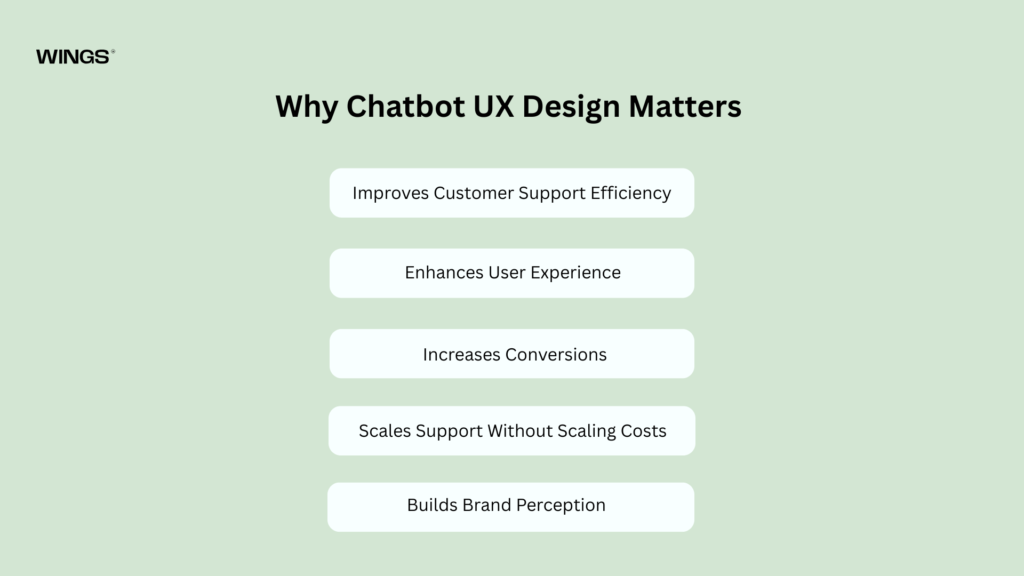
Why Chatbot UX Design Matters
Chatbots are not just support tools, they directly influence how users perceive a product and how efficiently a business operates. Good chatbot UX can improve customer experience, reduce costs, and drive measurable business outcomes.
Improves Customer Support Efficiency
Well-designed chatbots can handle a large portion of routine support tasks, including:
- Frequently asked questions (FAQs)
- Order tracking and status updates
- Basic troubleshooting and issue triage
By resolving common queries instantly, chatbots reduce dependency on human support teams.
Impact: Faster response times, reduced operational workload, and lower support costs.
Enhances User Experience
A strong chatbot UX ensures users get immediate, relevant assistance without friction.
Users benefit from:
- Instant answers without waiting in queues
- 24/7 availability across time zones
- Step-by-step guidance through processes
Impact: Improved satisfaction and smoother overall user journeys.
Increases Conversions
Chatbots don’t just support users, they can actively influence decisions at critical moments.
They help by:
- Recommending relevant products or services
- Assisting users during checkout or onboarding
- Addressing objections or concerns in real time
Impact: Higher conversion rates and more completed actions.
Unlike human support teams, chatbots can handle thousands of conversations simultaneously without performance loss.
This allows businesses to:
- Scale customer interactions effortlessly
- Maintain consistent response quality
- Reduce the need for proportional team expansion
Impact: Business growth without matching increases in operational costs.
Builds Brand Perception
A chatbot is often one of the first interactions a user has with a brand. Its quality directly influences perception.
A well-designed chatbot signals:
- Innovation and technical maturity
- Operational efficiency
- Strong customer-centric focus
Impact: Increased trust, credibility, and stronger overall brand image.
When Do You Need AI-Powered Chatbot UX?
Not every chatbot needs advanced AI. Simple rule-based systems can work well for basic use cases like FAQs or fixed workflows. However, as user expectations grow and interactions become more complex, many products eventually reach a point where traditional bots are no longer sufficient. At that stage, AI-powered chatbot UX becomes necessary to maintain usability, accuracy, and scalability.
01. When Rule-Based Bots Start Failing
Rule-based chatbots work well only when user inputs are predictable and limited. But real users rarely behave in predictable ways.
If your chatbot:
- Cannot handle variations in how users phrase the same request
- Breaks or fails when users go outside predefined paths
- Feels rigid, robotic, or overly menu-driven
Then it’s a strong sign that the system is no longer meeting user expectations. In these situations, users often get stuck, repeat themselves, or abandon the conversation entirely. AI helps solve this by understanding intent rather than relying on exact patterns or keywords.
02. When Queries Become Complex
As users become more familiar with your product, their questions naturally become more advanced and less structured. For example, instead of simple commands, users may start asking:
- Multi-step questions that require reasoning
- Context-dependent queries based on previous messages
- Open-ended requests that don’t map neatly to a single action
Traditional bots struggle here because they are designed for linear flows, not flexible understanding. This is where NLP becomes essential, it allows the chatbot to interpret meaning, break down complex inputs, and respond intelligently rather than rigidly.
03. When Support Volume Increases
As your user base grows, so does the volume of incoming conversations. What once was manageable manually or with simple automation can quickly become overwhelming. Without AI, scaling support usually means scaling human teams, leading to higher costs and operational strain.
AI-powered chatbots solve this by:
- Handling thousands of conversations simultaneously
- Responding instantly without queue delays
- Maintaining consistent response quality across all users
This allows businesses to scale support operations without linearly increasing costs or team size.
04. When User Experience Impacts Revenue
In many digital products, chatbot interactions are not just about support, they directly influence business outcomes.
This is especially true in:
- eCommerce platforms where users need product guidance
- SaaS products where onboarding affects retention
- Service platforms where quick resolution drives satisfaction
In these cases, chatbot UX directly impacts whether users complete an action or drop off. A poor chatbot experience can lead to abandoned carts, failed onboarding, or lost leads. A strong AI-powered experience, on the other hand, can guide users smoothly toward conversion.
05. When Personalization Becomes Important
Modern users expect experiences tailored to their needs, not generic responses.
If your product requires:
- Personalized product or content recommendations
- Context-aware responses based on user behavior
- Adaptive conversations that change based on history or preferences
Then AI is no longer optional, it becomes essential. AI enables chatbots to remember context, learn from past interactions, and adjust responses dynamically, creating a more relevant and engaging user experience.
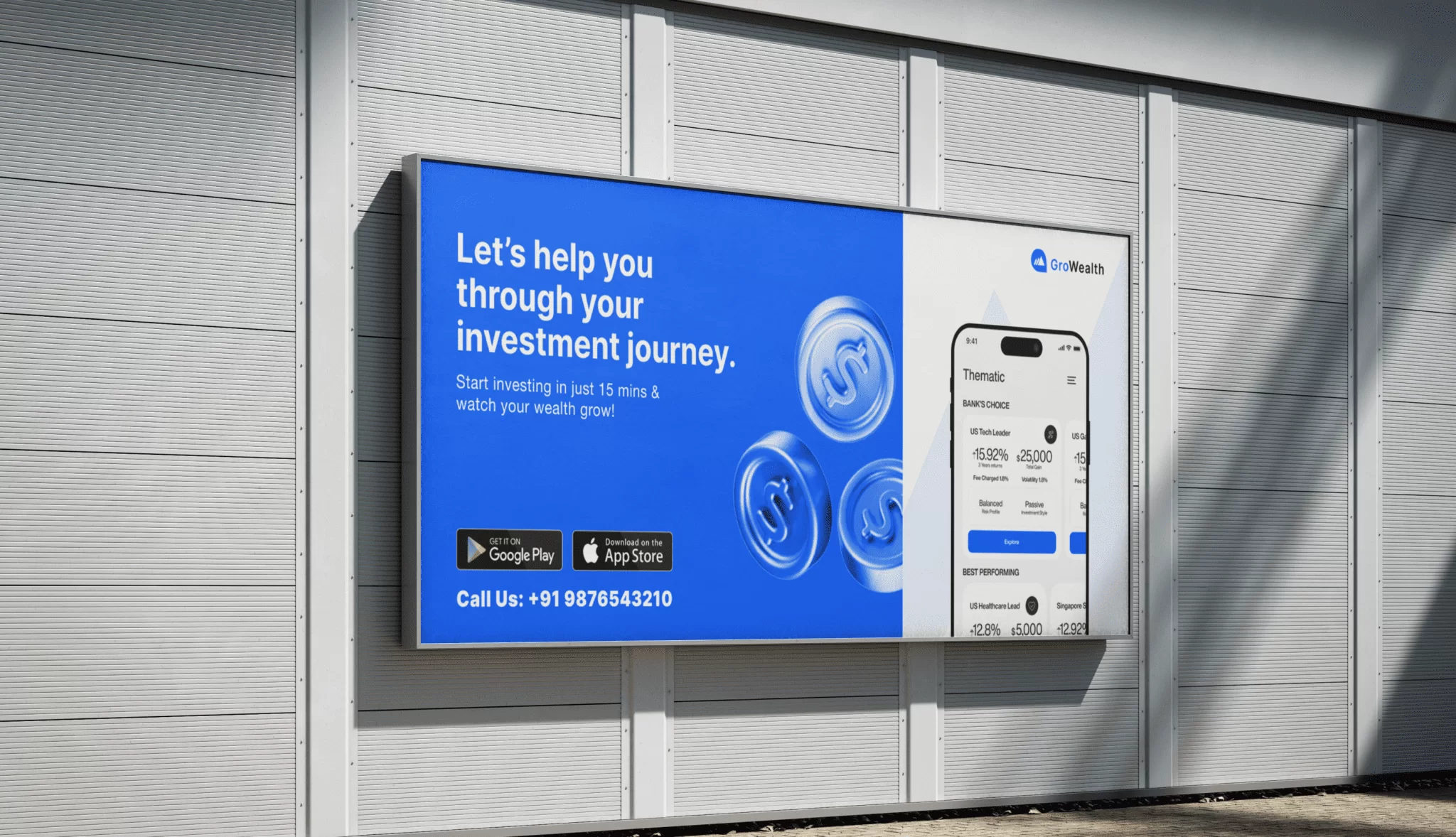
Explore the UX design process behind the GroWealth.
Chatbot UX Design Process: Step-by-Step
Designing a chatbot is not just a technical task, it is a strategic process that combines user understanding, conversation design, and continuous optimization. A well-designed chatbot evolves over time rather than being perfect at launch.
Step 1: Define Goals
Before designing anything, you must clearly define what the chatbot is supposed to achieve.
Ask questions like:
- Is the chatbot meant for customer support, sales, onboarding, or engagement?
- What problems should it solve for users?
- What business outcomes should it support?
Clear goals act as the foundation for every design decision that follows. Without them, the chatbot risks becoming unfocused and ineffective.
Step 2: Understand Users
A chatbot is only effective if it reflects real user behavior and needs.
At this stage, identify:
- Common user queries and conversation patterns
- Key pain points users experience today
- Expectations users have when seeking help
This should be based on real data such as support tickets, chat logs, and user research, not assumptions. Understanding users deeply ensures the chatbot feels relevant and useful from the start.
Step 3: Map Conversation Flows
Once you understand goals and users, you begin designing how conversations should unfold.
This includes:
- Entry points (how users start the conversation)
- Decision paths (how the bot guides users through options)
- Exit points (how users complete tasks or leave the flow)
Instead of thinking on screens or pages, think in dialogue. Each step should naturally lead to the next, reducing effort and confusion for the user.
Step 4: Train AI and NLP Models
This is where the chatbot becomes intelligent.
You define:
- Intents (what users want to do)
- Entities (key information like dates, IDs, locations)
- Sample phrases (different ways users might express the same intent)
The quality and diversity of training data directly impact how well the chatbot understands real-world language. A well-trained model improves accuracy and reduces user frustration.
Step 5: Design Responses
Once the chatbot understands user intent, the next step is how it responds.
Effective response design focuses on:
- Clarity over complexity
- A consistent and human-like tone
- Providing helpful next steps instead of dead ends
Avoid robotic or overly formal language. The goal is to make interactions feel natural, supportive, and easy to follow.
Step 6: Test and Iterate
No chatbot works perfectly on the first release. Testing is essential.
During testing, focus on:
- Where users get confused or drop off
- Misunderstood intents or incorrect responses
- Gaps in conversation flows
Real user feedback is critical here. It helps refine both the language model and the conversation design to improve overall performance.
Step 7: Monitor and Optimize
After launch, the chatbot must be continuously improved.
Track key metrics such as:
- Drop-off rates in conversations
- Task success or resolution rates
- User satisfaction scores or feedback
Over time, this data reveals patterns that can be used to improve intent recognition, response quality, and overall UX.
Continuous optimization is what transforms a basic chatbot into a truly intelligent conversational system.
Common Mistakes to Avoid
Over-Automation
Even well-designed chatbots can fail if key UX principles are ignored. Most chatbot problems don’t come from technology, they come from poor design decisions around user experience, intent, and communication.
Over-Automation
One of the most common mistakes is trying to automate every possible interaction. While automation improves efficiency, overusing it can make the experience feel rigid and frustrating. When users are forced through fully automated flows without flexibility, they often feel stuck or misunderstood.
Solution:
Design with balance in mind. Automate repetitive and predictable tasks, but always provide a clear path to human assistance when needed. Not every conversation should be fully handled by the bot.
Ignoring User Intent
Chatbots fail most often when they are designed around system logic instead of user intent. If flows are built without understanding what users actually want, the experience quickly breaks down, This leads to mismatched responses, irrelevant options, and user frustration.
Solution:
Base every conversation flow on real user data such as chat logs, support tickets, and search queries. Design around what users are trying to achieve, not what the system is capable of doing.
Poor Error Handling
No chatbot can understand every input correctly. When errors are handled poorly, users hit dead ends and abandon the conversation immediately, A vague or unhelpful response like “I don’t understand” creates friction and breaks trust.
Solution:
Design graceful fallback responses that guide users forward. Offer clarification options, suggest alternatives, or reframe the question to help users recover from confusion instead of stopping the conversation.
Robotic Tone
Even if a chatbot is functionally correct, a robotic or unnatural tone can make interactions feel cold and disconnected. This reduces engagement and trust. Overly formal, repetitive, or mechanical responses make users feel like they are talking to a system, not a helpful assistant.
Solution:
Write responses in a natural, human-like tone. Keep language simple, conversational, and supportive while maintaining clarity and professionalism.
Lack of Testing
Launching a chatbot without proper testing often leads to broken flows, misunderstood intents, and poor user experience in real-world conditions, What works in design documents often fails when exposed to real user behavior.
Solution:
Test with real users before launch and continue testing after deployment. Identify confusion points, refine responses, and improve intent recognition based on actual interactions.
No Human Escalation
Not all problems can or should be solved by a chatbot. When users reach complex, sensitive, or unresolved issues, they need access to human support, Removing this option creates frustration and damages trust.
Solution:
Always include a clear escalation path to a human agent. The transition should feel seamless, not like a failure state. Ideally, human agents should also have access to the conversation history for continuity.
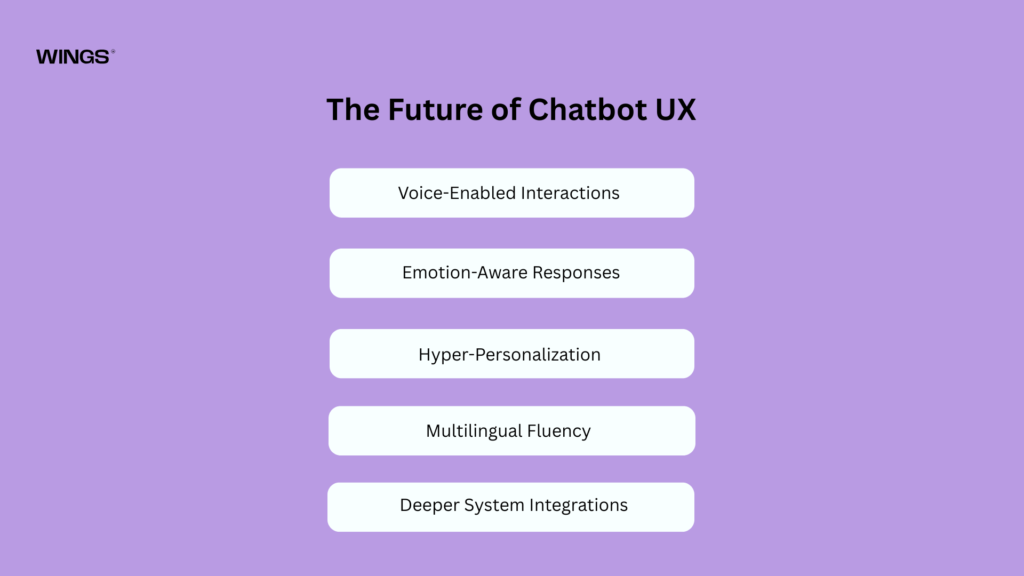
The Future of Chatbot UX
Chatbot UX is evolving rapidly alongside advances in AI, NLP, and multimodal interaction. What started as simple rule-based automation is now moving toward deeply intelligent, context-aware conversational systems. In the future, chatbots will not just respond to users, they will understand, adapt, and even anticipate needs in real time.
Voice-Enabled Interactions
Chatbots are increasingly shifting beyond text-based communication into voice-driven experiences.
Users will be able to:
- Speak naturally instead of typing
- Interact hands-free across devices
- Get faster, more fluid responses in real time
This makes interactions more accessible and closer to natural human communication.
Emotion-Aware Responses
Future chatbots will go beyond understanding words, they will interpret emotional tone and sentiment.
This means they can:
- Detect frustration, urgency, or satisfaction
- Adjust tone and responses accordingly
- Escalate sensitive issues when needed
Emotion-aware UX makes conversations feel more empathetic and human-like, improving trust and engagement.
Hyper-Personalization
Instead of generic responses, chatbots will deliver deeply personalized experiences based on user behavior, preferences, and history.
This includes:
- Predictive recommendations
- Context-aware suggestions
- Adaptive conversation styles per user
The chatbot becomes less of a tool and more of a personalized assistant that evolves with the user.
Multilingual Fluency
As products scale globally, language will no longer be a barrier.
Future chatbots will:
- Seamlessly switch between languages
- Understand mixed-language inputs (code-switching)
- Provide culturally adapted responses
This enables truly global, inclusive user experiences without separate systems per region.
Deeper System Integrations
Chatbots will move beyond answering questions to directly interacting with complex systems and workflows.
They will be able to:
- Execute transactions
- Manage workflows across apps
- Connect with APIs, CRMs, and enterprise systems
This transforms chatbots from conversational layers into full operational interfaces.
The Bigger Shift
The future of chatbot UX is not just about better automation.
It is about creating systems that can:
- Understand intent deeply
- Respond with context and empathy
- Act intelligently across systems
The goal is no longer just efficiency.
It is an intelligent, natural, and adaptive conversation between humans and machines.
Explore the UX design process behind the Sirf Taxi.
Conclusion
Chatbot UX design is not about building a system that simply “talks” to users. It is about creating an experience that understands people, reduces effort, and helps them reach their goals with minimal friction.
A well-designed chatbot goes beyond conversation. It becomes a structured experience that:
- Understands what users are trying to achieve
- Guides them clearly through uncertainty
- Solves real problems without unnecessary complexity
When powered by AI and NLP, a chatbot is no longer just a scripted support tool. It becomes a dynamic system that can interpret intent, adapt to context, and respond in a way that feels natural and relevant.
In this form, the chatbot evolves into much more than customer support. It becomes:
- A digital assistant that simplifies daily tasks
- A sales enabler that guides decisions in real time
- A customer experience driver that shapes how users perceive a brand
Because at its best, a chatbot is not noticed as a chatbot at all.
It feels like clarity.
It feels like speed.
It feels like help.
And in today’s digital world, that sense of effortless help is what users remember and value the most.

Thanseem
Junior UI/UX Designer