

Creative Tools That Make a Difference in Design Agency
Jan 09, 2025 ● 14 Mins Read

Table of Contents
Introduction
Design agencies thrive on creativity—but creativity alone isn’t enough. Efficiency, collaboration, and the ability to iterate rapidly are just as critical. The right creative tools can transform workflows, elevate design quality, and drive better client outcomes. For agencies that juggle multiple projects, stakeholders, and deadlines, tools aren’t optional—they are strategic multipliers that make a tangible difference in both productivity and profitability.
This guide explores the tools, tutorials, and resources that every modern design agency should leverage to stay ahead, innovate faster, and deliver exceptional results.

Design Tools That Streamline Workflow
Design tools form the backbone of any agency. They help teams create, collaborate, and iterate without friction. The most impactful tools do more than just enable design—they enhance creativity and efficiency simultaneously.
- Figma: Beyond being a collaborative interface design tool, Figma allows real-time teamwork, prototyping, and version control. Its plugins ecosystem expands functionality—everything from stock photos to icons to charts can be integrated seamlessly.
- Adobe Creative Cloud: Photoshop, Illustrator, and After Effects remain industry standards. Adobe’s cloud collaboration features now allow teams to share assets, get feedback, and maintain consistency across projects.
- Sketch: Particularly strong in UI/UX design, Sketch’s integration with prototyping tools and handoff apps like Zeplin streamlines workflow between designers and developers.
The key is not just using tools—but selecting tools that complement your agency’s workflow and empower designers to iterate rapidly while maintaining quality.
Collaboration and Project Management Tools
Design agencies often juggle multiple clients and complex projects simultaneously. Effective collaboration tools reduce miscommunication, speed up approvals, and keep everyone aligned.
- Notion: A flexible workspace for project planning, client documentation, and design system management. It centralizes knowledge so teams can work efficiently and avoid duplicated effort.
- Asana / Trello / Jira: Task management platforms that track progress, assign responsibilities, and integrate with design tools for seamless workflow. They reduce bottlenecks and ensure deadlines are met.
- Miro / FigJam: Virtual whiteboards for brainstorming, mood boards, wireframing, and mapping design flows collaboratively, especially for remote teams.
These tools help agencies turn creativity into structured execution, making client delivery faster and more predictable.
Resource Libraries That Supercharge Design
Access to high-quality resources can dramatically reduce design time while boosting creativity. Agencies that curate smart libraries for assets, templates, and inspirations gain a competitive edge.
- Unsplash / Pexels / Shutterstock: Stock image libraries that provide professional visuals for rapid prototyping or client presentations.
- The Noun Project / IconScout: Vast collections of icons and vector assets to streamline interface design.
- Google Fonts / Adobe Fonts: Typography libraries that ensure designs are both attractive and consistent across mediums.
A well-curated resource library frees designers from reinventing the wheel, letting them focus on higher-value creative decisions.
Tutorials and Learning Platforms
The design landscape evolves rapidly. Agencies that invest in continuous learning ensure their team remains at the forefront of trends and best practices.
- Skillshare / Udemy / Coursera: Platforms offering courses in UI/UX, motion design, and web development—perfect for upskilling and experimenting with new techniques.
- YouTube channels (like CharliMarieTV, The Futur): Free tutorials, case studies, and workflow tips from industry leaders.
- Dribbble / Behance: Not just for inspiration—many designers share process breakdowns and tutorials that provide practical learning for agency teams.
Learning resources keep teams innovative and competitive, ensuring agencies can offer the latest design solutions to clients.
Automation and Efficiency Tools
The design landscape evolves rapidly. Agencies that invest in continuous learning ensure their team remains at the forefront of trends and best practices.
- Skillshare / Udemy / Coursera: Platforms offering courses in UI/UX, motion design, and web development—perfect for upskilling and experimenting with new techniques.
- YouTube channels (like CharliMarieTV, The Futur): Free tutorials, case studies, and workflow tips from industry leaders.
- Dribbble / Behance: Not just for inspiration—many designers share process breakdowns and tutorials that provide practical learning for agency teams.
Learning resources keep teams innovative and competitive, ensuring agencies can offer the latest design solutions to clients.
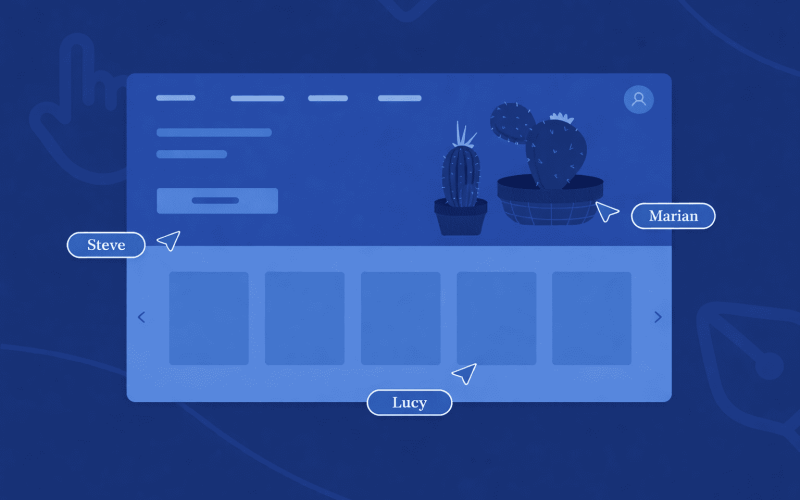
Integrating Tools for Maximum Impact
The true power of creative tools is unleashed when they work together seamlessly. A design agency doesn’t just need isolated apps—it needs an ecosystem where design, collaboration, resources, and automation connect.
For example:
- Use Figma for UI design → integrate with Zeplin for developer handoff → track progress in Asana → document style guides in Notion.
- Automate approvals with Zapier → centralize client assets in Dropbox or Google Drive → access stock images from Unsplash directly within Figma.
This integrated approach enhances efficiency, reduces friction, and elevates the quality of deliverables, ensuring the agency can consistently exceed client expectations.
Choosing Tools Strategically
Not every tool is right for every agency. The most effective approach is strategic selection based on:
- Team size and collaboration needs.
- Types of projects and client requirements.
- Integration capabilities with existing workflows.
- Learning curve and adoption speed.
By aligning tools with workflow and business goals, agencies can maximize ROI from their creative stack, rather than accumulating unused or redundant apps.
Conclusion: Tools Amplify Talent
Creative talent remains the heart of any design agency—but the right tools amplify that talent, turning potential into measurable results. Agencies that carefully select, integrate, and leverage design tools, resources, and tutorials not only deliver higher-quality work faster but also gain a competitive edge in client satisfaction and profitability.
Design tools are no longer optional—they are strategic enablers. When combined with skilled designers, thoughtful processes, and continuous learning, the right tools help agencies turn creativity into business outcomes.
The message is clear: Equip your team with the best tools, foster learning, and integrate workflows thoughtfully—profit and creative excellence will follow.
Driven by a passion for user-centric design, I focus on crafting intuitive and visually compelling digital experiences. With an eye for detail and a commitment to functionality, I strive to enhance usability and engagement in every project. Outside of work, my love for movies and books sparks creativity and inspiration, influencing new design perspectives.

Naveen S
Senior UI/UX Designer